
Logitech Extreme 3D Pro Disassembly of the handle

Emanuel Canela and one other contributor
Last updated on Jun 26, 2018
Views: 5.3K
View statistics:
- Past 24 Hours:
- 1
- Past 7 Days:
- 28
- Past 30 Days:
- 138
- All Time:
- 5,322
Comments: 5
2 comments on steps, 3 guide comments.
Go to guide commentsCompleted: 6 7
6 people have marked this guide "completed." Will you be next?
7 people have marked this guide "completed." Including you — great job!
Favorites: 0 1
No one has favorited (and subscribed to) this guide. Will you be the first?
1 person has favorited (and subscribed to) this guide — and that's you!
Introduction
Go to step 1 ↓After extended use certain parts may require cleaning or replacement. This guide will assist you in safely disassembling the top handle portion of the joystick.
What you need
Tools

-
-
-
Remove these three Phillips #1 screws:
-
Two 10mm screws.
-
One 7mm screw.
 Ask FixBot
-
-
-
Using your fingers, lower the rubber boot to reveal two screws underneath the joystick.
-
Remove the two 10mm Phillips #1 screws.
-
-
-
-
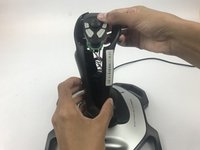
Pull apart the joystick chassis by hand.
-
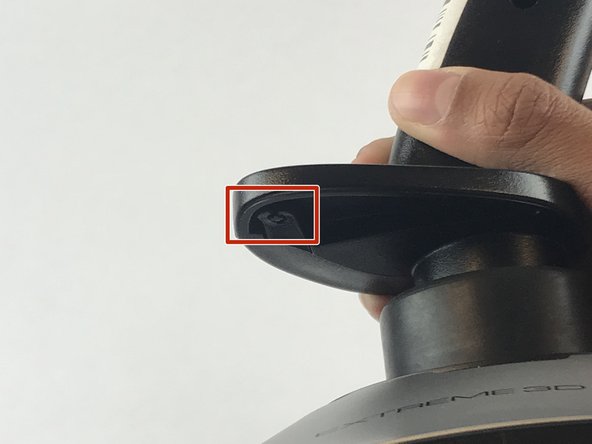
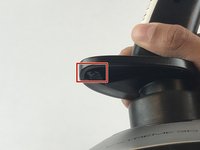
Release this clip located underneath the hand rest
-
-


To reassemble your device, follow these instructions in reverse order.
Cancel: I did not complete this guide.
6 other people completed this guide.

Team

USF Tampa, Team S7-G1, Passmore Spring 2018 Member of USF Tampa, Team S7-G1, Passmore Spring 2018
USFT-PASSMORE-S18S7G1
4 Members
84 Guides authored
3 Guide Comments
yeah but i got this far before looking at the site, and what i really want to see is how the cotter ring pin is set on the shaft that enables the z-rot instead of locking it down.
if you havent worked it out already, the Z-rot spring needs spread across a little 3/8 inch tab, otherwise it will lock the axis a few degrees off center
reassembling is tricky. The spring tabs for z-rot need to be aligned on one side of the handle and the z-rot potentiometer needs aligning on the other. There is nothing obvious in the handle design to guide the correct positioning. The difficult part is getting the pot tab to stay in its slot. If anyone knows of a technique to assist getting the handles halves and pot in the correct alignment, please do tell.
