
Lockerstor AS6604T disassembly

Koen Vits and one other contributor
Last updated on Mar 10, 2025
Views: 209
View statistics:
- Past 24 Hours:
- 3
- Past 7 Days:
- 16
- Past 30 Days:
- 78
- All Time:
- 209
Comments: 0
No one has left comments on this guide. Will you be first?
Go to guide commentsCompleted: 1 2
1 person has marked this guide "completed." Will you be next?
2 people have marked this guide "completed." Including you — great job!
Favorites: 0 1
No one has favorited (and subscribed to) this guide. Will you be the first?
1 person has favorited (and subscribed to) this guide — and that's you!
Community-Contributed Guide
An awesome member of our community made this guide. It was not created by iFixit staff.
Missing Details
Some of this guide's details are missing. Help users by adding tools, difficulty, or time.
Introduction
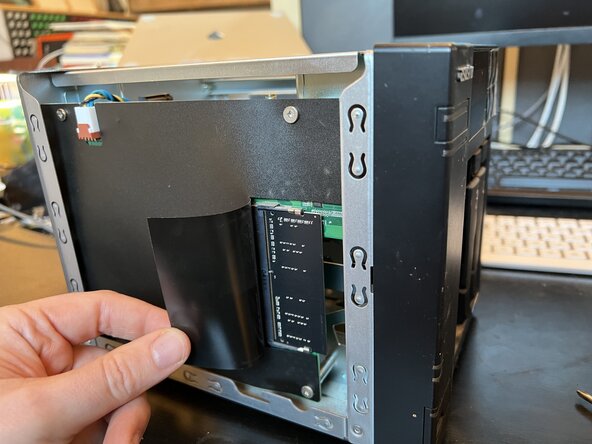
Go to step 1 ↓Disassembly, for instance to replace the first RAM-memory stick on the motherboard.
-
-
-
Remove the little Philips screws on the left and on the right.
-
-
-
Remove the two small Philips screws on the bottom that still hold the back panel.
-
-
-
Carefully remove the back panel, making sure the fan cable doesn't get stuck.
-
-
-
Remove the big Philips screw from the harddisk controller board.
-
-
-
Slide the harddisk controller left to de-attach it from the motherboard. Remove it.
-
-
-
-
Carefully detach the M.2 controller from the motherboard and remove it.
-
-
-
Be careful when removing the motherboard! It's still connected on the right side. Carefully slide it out, making sure to not damage the connector or the motherboard.
-

 Ask FixBot



To assemble the device again, follow these instructions in reverse order.
Cancel: I did not complete this guide.
One other person completed this guide.
Special thanks to these translators:
100%
Koen Vits is helping us fix the world! Want to contribute?
Start translating ›

