Free Shipping on Domestic Orders $75+

Levoit Core 300-RAC Control Board Replacement

Views: 2.2K

View statistics:

Past 24 Hours:
2
Past 7 Days:
33
Past 30 Days:
151
All Time:
2,188
Comments: 0

No one has left comments on this guide. Will you be first?

Go to guide comments
Completed: 0

No one has marked this guide "completed." Will you be the first?

Favorites: 0

No one has favorited (and subscribed to) this guide. Will you be the first?

Time Required: 15 - 25 minutes
Difficulty: Easy
Levoit Core 300-RAC Control Board Replacement

Introduction

Go to step 1 ↓

The control panel contains buttons that allow the user to power the device on and off, select the fan speed, run time, display brightness, night mode, the display lock, and the air filter status light. If any of these buttons or lights are malfunctioning, use this guide to replace the control board of your Levoit Core 300-RAC air purifier.

Before you begin, make sure to turn off your device and unplug it from the power outlet.

What you need

Tools

    1. Levoit Core 300-RAC Control Board Replacement, Control Board: step 1, image 1 of 3 Levoit Core 300-RAC Control Board Replacement, Control Board: step 1, image 2 of 3 Levoit Core 300-RAC Control Board Replacement, Control Board: step 1, image 3 of 3
      • Make sure the device is turned off and unplugged before disassembling it.

      • Insert the Jimmy between the gray grille cover and the top of the device.

      • Work your way around the grille cover with the Jimmy to release the clips holding it in place.

      • Take note of the placement of the clips, as they are keyed and need to go back in the exact way they came out.

      • Remove the grille cover gently as it is connected by a ribbon cable.

      • Be careful not to put too much strain on the ribbon cable as it may break.

      Ask FixBot

      Add Comment

    2. Levoit Core 300-RAC Control Board Replacement: step 2, image 1 of 3 Levoit Core 300-RAC Control Board Replacement: step 2, image 2 of 3 Levoit Core 300-RAC Control Board Replacement: step 2, image 3 of 3
      • Squeeze the tab on the connector to release the bundled cable from the control board.

      • The connector should come out fairly easily, so do not force it. Pulling too hard could damage the connector.

      Ask FixBot

      Add Comment

    3. Levoit Core 300-RAC Control Board Replacement: step 3, image 1 of 2 Levoit Core 300-RAC Control Board Replacement: step 3, image 2 of 2
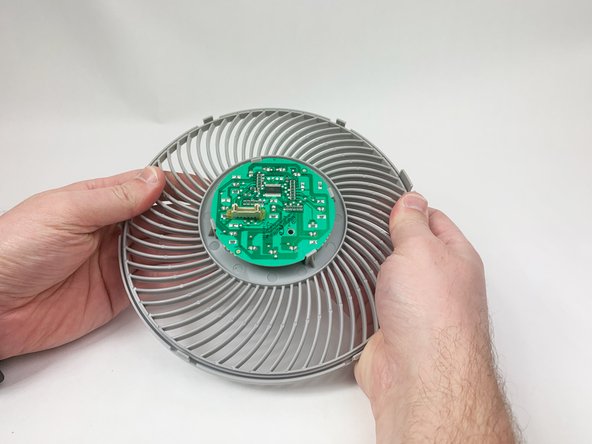
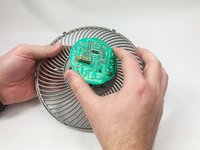
      • Gently bend the gray plastic cover to release the control board.

      • There are several hard tabs holding the control board in place.

      Ask FixBot

      Add Comment

    4. Levoit Core 300-RAC Control Board Replacement: step 4, image 1 of 3 Levoit Core 300-RAC Control Board Replacement: step 4, image 2 of 3 Levoit Core 300-RAC Control Board Replacement: step 4, image 3 of 3
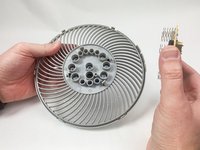
      • Lift the control board from the gray plastic cover.

      • Take note of the orientations of the buttons, as that will help during reassembly.

      Ask FixBot

      Add Comment

Conclusion

To reassemble your device, follow these instructions in reverse order.

Cancel: I did not complete this guide.

Mustafa

Member since: 11/03/23

259 Reputation

1 Guide authored

Team

UMass Dartmouth, Team 1-6, Petersen Fall 2023 Member of UMass Dartmouth, Team 1-6, Petersen Fall 2023

UMASSD-PETERSEN-F23S1G6

5 Members

72 Guides authored

0 Guide Comments

Add Comment

View Statistics:

Past 24 Hours: 2

Past 7 Days: 33

Past 30 Days: 151

All Time: 2,188