Free Shipping on Domestic Orders $75+

Lenovo bluetooth mouse N6901A disassembly

What you need

    1. Lenovo bluetooth mouse N6901A disassembly, Mouse: step 1, image 1 of 1
      • 3 Phillips screws are located under the battery cover, unscrew them

      Ask FixBot

      Add Comment

    2. Lenovo bluetooth mouse N6901A disassembly: step 2, image 1 of 2 Lenovo bluetooth mouse N6901A disassembly: step 2, image 2 of 2
      • The mouse cover at the bottom should move freely but at the top is hold by 2 brackets

      • In order to remove the mouse cover, you will need to rock left/right the cover and slide it down (from scroll wheel toward the Lenovo logo)

      Ask FixBot

      Add Comment

    3. Lenovo bluetooth mouse N6901A disassembly: step 3, image 1 of 2 Lenovo bluetooth mouse N6901A disassembly: step 3, image 2 of 2
      • At this point, you have separated the mouse cover

      Ask FixBot

      Add Comment

    4. Lenovo bluetooth mouse N6901A disassembly: step 4, image 1 of 1
      • Use the appropriate tool to remove gently the power connector. Don't use your finger, you might brake the cable

      Ask FixBot

      Add Comment

    5. Lenovo bluetooth mouse N6901A disassembly: step 5, image 1 of 2 Lenovo bluetooth mouse N6901A disassembly: step 5, image 2 of 2
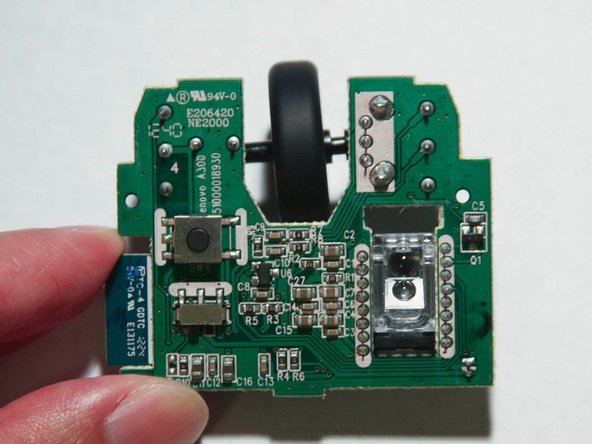
      • The micro switch can be replaced by OMRON D2FC-F-7N but you need to trim the solder terminals with a flush wire cutter

      • When you reassemble the mouse, make sure you don't crush the power cable

      Ask FixBot

      Add Comment

Conclusion

To reassemble your device, follow these instructions in reverse order.

Cancel: I did not complete this guide.

2 other people completed this guide.

Shinn Chyang Chen

Member since: 09/14/11

3,070 Reputation

3 Guides authored

0 Guide Comments

Add Comment

View Statistics:

Past 24 Hours: 2

Past 7 Days: 30

Past 30 Days: 92

All Time: 7,453