Free Shipping on Domestic Orders $75+

Lenovo Yoga Tab 3 10 Wifi Module Replacement

What you need

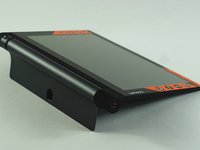
    1. Lenovo Yoga Tab 3 10 Wifi Module Replacement, Back Cover: step 1, image 1 of 1
      • Open the built-in kickstand.

      Ask FixBot

      Add Comment

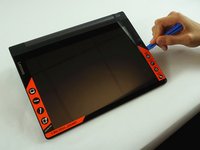
    2. Lenovo Yoga Tab 3 10 Wifi Module Replacement: step 2, image 1 of 3 Lenovo Yoga Tab 3 10 Wifi Module Replacement: step 2, image 2 of 3 Lenovo Yoga Tab 3 10 Wifi Module Replacement: step 2, image 3 of 3
      • Remove the sticker located directly under the the built-in kickstand to reveal two 0.75 mm screws.

      • Remove the microSD card slot cover. Remove any microSD card (if inserted).

      • Using a Phillips head screwdriver, remove the three 0.75 mm screws.

      Ask FixBot

      Add Comment

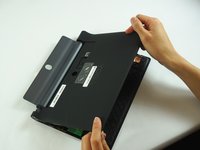
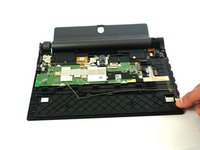
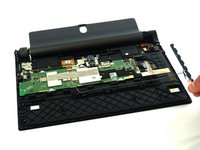
    3. Lenovo Yoga Tab 3 10 Wifi Module Replacement: step 3, image 1 of 3 Lenovo Yoga Tab 3 10 Wifi Module Replacement: step 3, image 2 of 3 Lenovo Yoga Tab 3 10 Wifi Module Replacement: step 3, image 3 of 3
      • Orient the device so the screen is facing you.

      • Carefully insert the spudger along the seam between the screen and back cover and gently separate the back cover from the device frame.

      • Continue to detach the backplate from the frame by moving the spudger around the perimeter.

      • Some force will be required to detach the small plastic braces securing the backplate to the device.

      Ask FixBot

      Add Comment

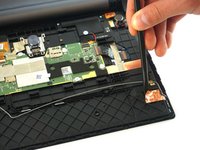
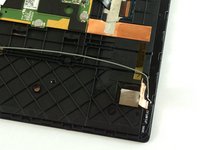
    1. Lenovo Yoga Tab 3 10 Wifi Module Replacement, Wifi Module: step 4, image 1 of 2 Lenovo Yoga Tab 3 10 Wifi Module Replacement, Wifi Module: step 4, image 2 of 2
      • Use the nylon spudger to gently lift the foil cover of the wifi model.

      Ask FixBot

      Add Comment

    2. Lenovo Yoga Tab 3 10 Wifi Module Replacement: step 5, image 1 of 1
      Tool used on this step:
      Tweezers
      $4.99
      Buy
      • Use tweezers to gently lift the gold tape located above the copper foil.

      Ask FixBot

      Add Comment

    3. Lenovo Yoga Tab 3 10 Wifi Module Replacement: step 6, image 1 of 1
      • Use the plastic spudger to disconnect the wifi module connector from the motherboard.

      Ask FixBot

      Add Comment

    4. Lenovo Yoga Tab 3 10 Wifi Module Replacement: step 7, image 1 of 2 Lenovo Yoga Tab 3 10 Wifi Module Replacement: step 7, image 2 of 2
      • Carefully lift the wifi module from the device.

      Ask FixBot

      Add Comment

Conclusion

To reassemble your device, follow these instructions in reverse order.

Cancel: I did not complete this guide.

One other person completed this guide.

Phanudej

Member since: 02/20/17

1,208 Reputation

5 Guides authored

Team

USF Tampa, Team S3-G2, Sullivan Spring 2017 Member of USF Tampa, Team S3-G2, Sullivan Spring 2017

USFT-SULLIVAN-S17S3G2

4 Members

54 Guides authored

1 Guide Comment

where can i buy this type of module?

rebeca rackolavsci - Reply Share

Add Comment

View Statistics:

Past 24 Hours: 0

Past 7 Days: 1

Past 30 Days: 23

All Time: 4,200