Introduction
This guide will instruct you how to remove a broken Lenovo Y50-70 Touch Fan from your laptop. A touch fan regulates the laptop’s temperature to keep it from overheating, and when it malfunctions it can damage the laptop or make it perform poorly. A fan can get worn out due to frequent use, causing it to malfunction. Dust or debris can also damage the fan. This replacement process requires a careful hand to avoid harming any internal wiring when removing the base of the laptop and the fan itself. To replace the fan, follow these steps in reverse.
What you need
-
-
Remove all twelve 6 mm screws from the back of the laptop using a Phillips #1 screwdriver.
 Ask FixBot
-
-
-
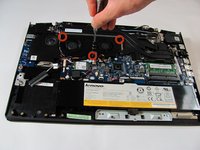
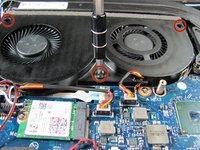
Remove the three 3.5 mm screws from the fan with a Philips #1 screwdriver.
-
-
-
-
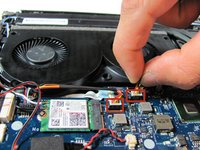
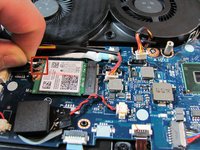
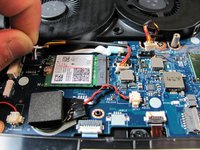
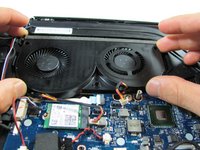
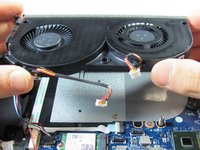
Lift up the fan slightly.
-
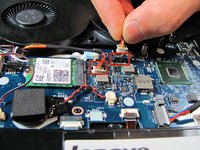
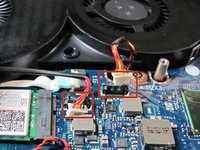
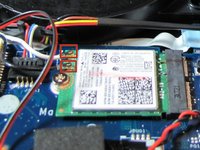
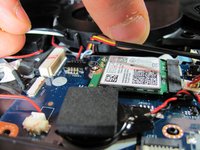
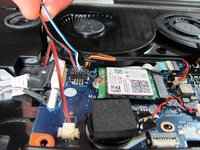
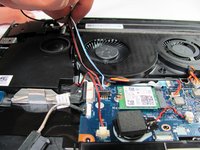
Gather the antenna cables(black and white) and speaker wires (red, black, blue, and white). Carefully move them away from the fan.
-










To reassemble your device, follow these instructions in reverse order.
Cancel: I did not complete this guide.
8 other people completed this guide.

Team

Cal Poly, Team 18-1, Maness Winter 2015 Member of Cal Poly, Team 18-1, Maness Winter 2015
CPSU-MANESS-W15S18G1
5 Members
15 Guides authored
