Free Shipping on Domestic Orders $75+

Lenovo Vibe Z2 Pro Battery Replacement

What you need

    1. Lenovo Vibe Z2 Pro Battery Replacement, Lenovo Vibe Z2 Pro Backplate Disassembly: step 1, image 1 of 2 Lenovo Vibe Z2 Pro Battery Replacement, Lenovo Vibe Z2 Pro Backplate Disassembly: step 1, image 2 of 2
      • Remove the 4.9 mm torx head screws located on the camera plate on the back of the phone

      Ask FixBot

      Add Comment

    2. Lenovo Vibe Z2 Pro Battery Replacement: step 2, image 1 of 1
      • Remove the 3.65 mm Torx head screws at the bottom of the phone.

      Ask FixBot

      Add Comment

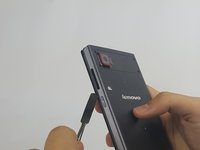
    3. Lenovo Vibe Z2 Pro Battery Replacement: step 3, image 1 of 2 Lenovo Vibe Z2 Pro Battery Replacement: step 3, image 2 of 2
      • Remove the SIM card tray by pushing a pin into the hole on the side of the phone.

      Ask FixBot

      Add Comment

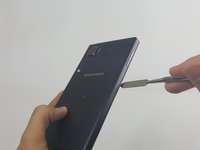
    4. Lenovo Vibe Z2 Pro Battery Replacement: step 4, image 1 of 2 Lenovo Vibe Z2 Pro Battery Replacement: step 4, image 2 of 2
      • Push the Spudger along the gap between the phone and the backplate to separate them.

      Ask FixBot

      Add Comment

    5. Lenovo Vibe Z2 Pro Battery Replacement: step 5, image 1 of 1
      • Carefully pull the backplate away from the phone.

      Ask FixBot

      Add Comment

    1. Lenovo Vibe Z2 Pro Battery Replacement, Battery: step 6, image 1 of 2 Lenovo Vibe Z2 Pro Battery Replacement, Battery: step 6, image 2 of 2
      • Peel away protective the film using your hands.

      Ask FixBot

      Add Comment

    2. Lenovo Vibe Z2 Pro Battery Replacement: step 7, image 1 of 2 Lenovo Vibe Z2 Pro Battery Replacement: step 7, image 2 of 2
      • Remove any adhesive strips holding the battery in place gently using a fingernail or spudger.

      • The regular black nylon spudger should be used whenever possible, especially around batteries.

      Ask FixBot

      Add Comment

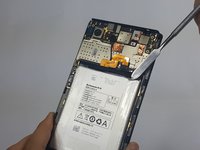
    3. Lenovo Vibe Z2 Pro Battery Replacement: step 8, image 1 of 1
      • Disconnect the orange battery ribbon cable by gently lifting with a spudger.

      Ask FixBot

      Add Comment

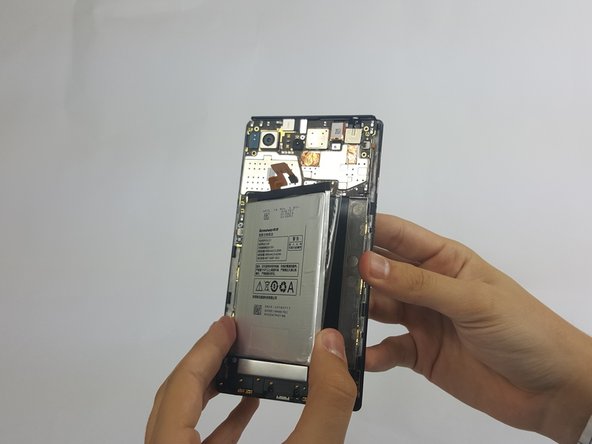
    4. Lenovo Vibe Z2 Pro Battery Replacement: step 9, image 1 of 3 Lenovo Vibe Z2 Pro Battery Replacement: step 9, image 2 of 3 Lenovo Vibe Z2 Pro Battery Replacement: step 9, image 3 of 3
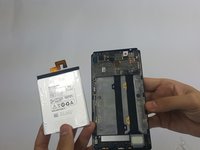
      • Insert a fingernail or spudger into either side of the battery and lift upward.

      • Remove the battery from phone.

      Ask FixBot

      Add Comment

Conclusion

To reassemble your device, follow these instructions in reverse order.

Cancel: I did not complete this guide.

4 other people completed this guide.

Bryan Sepulveda

Member since: 09/15/16

547 Reputation

3 Guides authored

Team

USF Tampa, Team 18-3, Blackwell Fall 2016 Member of USF Tampa, Team 18-3, Blackwell Fall 2016

USFT-BLACKWELL-F16S18G3

4 Members

72 Guides authored

2 Guide Comments

Where to buy such battery?

Damir Dominko - Reply Share

wala pa po ba dito s pinas ng bl230?

eduardo santos - Reply Share

Add Comment

View Statistics:

Past 24 Hours: 0

Past 7 Days: 3

Past 30 Days: 33

All Time: 3,769