
Lenovo Touch Y70-70 RAM Replacement

Ean Hobbs and 2 other contributors
Last updated on Jun 12, 2018
Views: 908
View statistics:
- Past 24 Hours:
- 1
- Past 7 Days:
- 12
- Past 30 Days:
- 67
- All Time:
- 908
Comments: 0
No one has left comments on this guide. Will you be first?
Go to guide commentsCompleted: 0 1
No one has marked this guide "completed." Will you be the first?
1 person has marked this guide "completed." It's you — great job!
Favorites: 0 1
No one has favorited (and subscribed to) this guide. Will you be the first?
1 person has favorited (and subscribed to) this guide — and that's you!
Introduction
Go to step 1 ↓This guide will help you replace the RAM of your device.
What you need
Tools


-
-
-
Flip the device so the back is facing you.
-
Using the Phillips #0 screwdriver, unscrew the fourteen screws from the device.
 Ask FixBot
-
-
-
Use the blue Opening Tool to pry-open the back cover.
-
Slide it around the perimeter of the PC freeing the back cover.
-
Remove the back cover from the device.
-
-
-
-
-
-
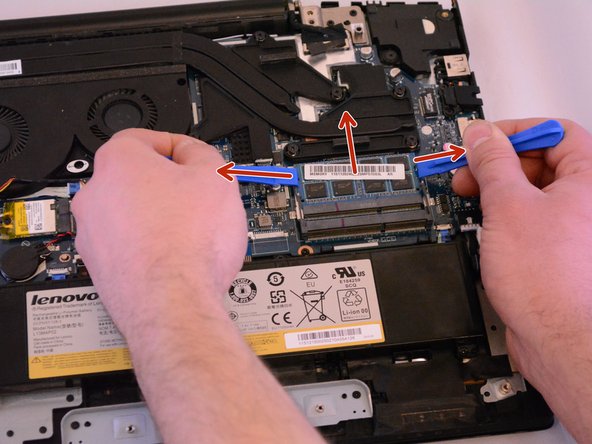
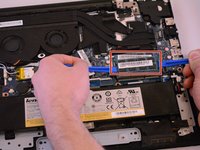
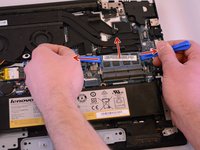
Use your fingers or two of the blue Opening Tools to lightly pull the tabs away from the RAM to free the first stick.
-
Remove the first stick and and do the same thing to the second RAM stick.
-
-


To reassemble your device, follow these instructions in reverse order.

Team

Eastern Washington University, Team S2-G3, Munoz Winter 2018 Member of Eastern Washington University, Team S2-G3, Munoz Winter 2018
EWU-MUNOZ-W18S2G3
5 Members
48 Guides authored
