What you need
-
-
-
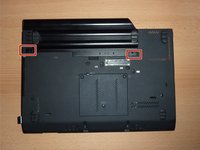
Flip the computer upside down.
-
The red rectangle shows the location of the battery.
-
-
-
-
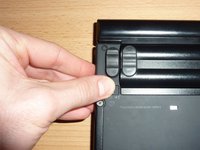
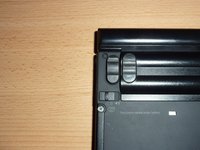
Locate the two switches that lock the battery. Push the left-hand switch outward into the "unlocked" position.
-
-
-
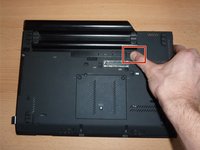
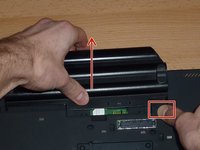
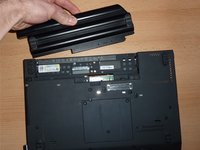
Now push and hold the right clip to the right while using your other hand to gently slide the battery away from the computer.
-

 Ask FixBot




To reassemble your device, follow these instructions in reverse order.
For optimal performance, after completing this guide, calibrate your newly installed battery.
Take your e-waste to an R2 or e-Stewards certified recycler.
Cancel: I did not complete this guide.
4 other people completed this guide.

2 Guide Comments
I think your windows key is visible in one of the images, you might want to blur that out
That would be a Windows 7, long out of date. Microsoft ceased supporting Windows 7 on January 14, 2020. It cannot be registered on the internet. Good news is that you actually own your copy, it is not "licensed"(rented) like windows 10 or 11. There is no need for blurring out, in fact various keys are freely available on the Internet, and copies can be downloaded at archive.org. Certainly Big Tech wants you to believe these are important and precious, but not so much, from the very second Microsoft drops support.
