Free Shipping on Domestic Orders $75+

Lenovo Thinkpad X220 Battery Replacement

What you need

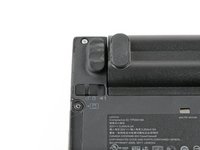
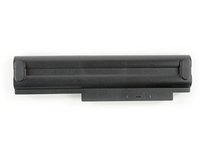
    1. Lenovo Thinkpad X220 Battery Replacement, Battery: step 1, image 1 of 3 Lenovo Thinkpad X220 Battery Replacement, Battery: step 1, image 2 of 3 Lenovo Thinkpad X220 Battery Replacement, Battery: step 1, image 3 of 3
      • Locate the two switches that lock the battery.

      • Then push the left switch outward into the "unlocked" position.

      • This switch will remain in the unlocked position.

      Ask FixBot

      Add Comment

    2. Lenovo Thinkpad X220 Battery Replacement: step 2, image 1 of 2 Lenovo Thinkpad X220 Battery Replacement: step 2, image 2 of 2
      • Now push and hold the right switch to the right while using the other hand to gently slide the battery upwards out of the laptop.

      Ask FixBot

      Add Comment

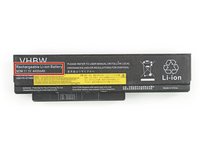
    3. Lenovo Thinkpad X220 Battery Replacement: step 3, image 1 of 2 Lenovo Thinkpad X220 Battery Replacement: step 3, image 2 of 2
      • This is a rechargeable Li-Ion battery that has a capacity of 4400 mAh, if you have the 6 cell model.

      • The 4 or 9 cell model has different ratings.

      Ask FixBot

      Add Comment

Conclusion

To reassemble your device, follow these instructions in reverse order. Don't forget to switch the left switch back into the locked position.

Cancel: I did not complete this guide.

5 other people completed this guide.

Nils Eymer

Member since: 10/24/16

1,010 Reputation

2 Guides authored

0 Guide Comments

Add Comment

View Statistics:

Past 24 Hours: 0

Past 7 Days: 8

Past 30 Days: 81

All Time: 6,007