Free Shipping on Domestic Orders $75+

Lenovo Thinkpad T440S Battery Replacement

What you need

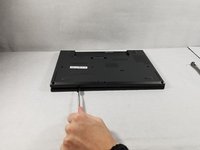
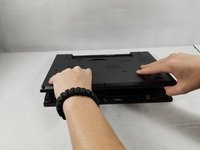
    1. Lenovo Thinkpad T440S Battery Replacement, Back Panel: step 1, image 1 of 2 Lenovo Thinkpad T440S Battery Replacement, Back Panel: step 1, image 2 of 2
      • Make sure to power down and turn off your device before proceeding with the repair.

      • Flip your laptop over so that the backside is facing you.

      Ask FixBot

      Add Comment

    2. Lenovo Thinkpad T440S Battery Replacement: step 2, image 1 of 1
      • Using a Phillips #1 screwdriver, remove the eight screws securing the backplate.

      • Don’t try to force screws which won't come out. They are held in place by a stopper on the reverse side. This will not prevent you from removing the backplate.

      Ask FixBot

      Add Comment

    3. Lenovo Thinkpad T440S Battery Replacement: step 3, image 1 of 2 Lenovo Thinkpad T440S Battery Replacement: step 3, image 2 of 2
      • Using the metal spudger, wedge it in the seam where the backplate meets the front plate and run the tool along the seam to separate the backplate.

      Ask FixBot

      Add Comment

    4. Lenovo Thinkpad T440S Battery Replacement: step 4, image 1 of 1
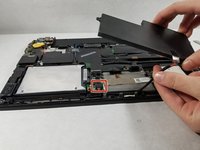
      • Remove the back panel from the device.

      Ask FixBot

      Add Comment

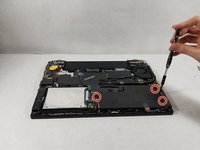
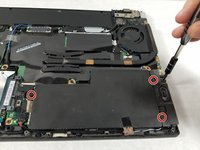
    1. Lenovo Thinkpad T440S Battery Replacement, Battery: step 5, image 1 of 2 Lenovo Thinkpad T440S Battery Replacement, Battery: step 5, image 2 of 2
      • Use the Phillips #1 screwdriver to remove the three screws holding in the battery.

      Ask FixBot

      Add Comment

    2. Lenovo Thinkpad T440S Battery Replacement: step 6, image 1 of 1
      • Use the spudger to lift the battery out of it's compartment.

      • Although shown in this photo, please refrain from using the metal spudger on any lithium-ion batteries. The metal spudger can easily puncture the battery and cause further problems with the device.

      Ask FixBot

      Add Comment

    3. Lenovo Thinkpad T440S Battery Replacement: step 7, image 1 of 2 Lenovo Thinkpad T440S Battery Replacement: step 7, image 2 of 2
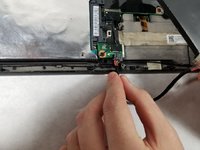
      • Unclip the battery from the device.

      • Remove the battery from the device.

      Ask FixBot

      Add Comment

Conclusion

To reassemble your device, follow these instructions in reverse order.

Cancel: I did not complete this guide.

4 other people completed this guide.

Terelle Montalvo

Member since: 10/22/18

1,495 Reputation

8 Guides authored

Team

0 Guide Comments

Add Comment

View Statistics:

Past 24 Hours: 5

Past 7 Days: 24

Past 30 Days: 102

All Time: 6,795