Free Shipping on Domestic Orders $75+

Lenovo ThinkPad X280 Display Assembly

What you need

    1. Lenovo ThinkPad X280 Display Assembly, Display Assembly: step 1, image 1 of 1
      • Lay the computer flat on the back of the screen.

      Ask FixBot

      Add Comment

    2. Lenovo ThinkPad X280 Display Assembly: step 2, image 1 of 1
      • Use the metal spudger to pry the screen away from the assembly.

      Ask FixBot

      Add Comment

    3. Lenovo ThinkPad X280 Display Assembly: step 3, image 1 of 1
      • The screen will fold down over the keyboard, exposing the connections.

      Ask FixBot

      Add Comment

    4. Lenovo ThinkPad X280 Display Assembly: step 4, image 1 of 2 Lenovo ThinkPad X280 Display Assembly: step 4, image 2 of 2
      Tool used on this step:
      Tweezers
      $4.99
      Buy
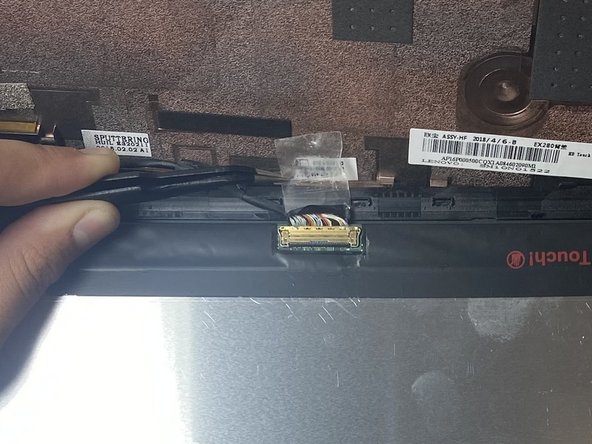
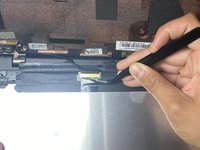
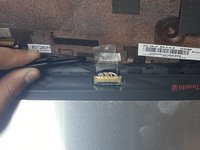
      • Use tweezers to gently remove the tape that secures the connector.

      • Lift the bracket on the bottom of the connector, and gently remove the bundled cable.

      Ask FixBot

      Add Comment

    5. Lenovo ThinkPad X280 Display Assembly: step 5, image 1 of 1
      • Remove the screen.

      Ask FixBot

      Add Comment

Conclusion

To reassemble your device, follow these instructions in reverse order.

Cancel: I did not complete this guide.

2 other people completed this guide.

1 Guide Comment

Anyone tried modding the screen with a 13.3" screen? I heard the screen part number is N133HCE-GP1, but you need to cut the bezels, and rewire the camera module and stuff.

Azrael - Reply Share

Add Comment

View Statistics:

Past 24 Hours: 4

Past 7 Days: 35

Past 30 Days: 145

All Time: 3,380