Introduction
Hard drive replacement is necessary if your laptop fails to boot or because of hard drive errors. Prior to hard drive replacement, you will need to remove the back panel, both of which are quick, easy tasks.
What you need
-
-
-
Flip the laptop upside down so that the battery is facing away from you.
 Ask FixBot
-
-
-
Locate the three 3 mm Phillips #0 screws on the back panel.
-
Remove each screw using a small Phillips #0 screwdriver.
-
-
-
-
Using a small plastic opening tool, pry off the back casing starting at a point closest to you and working around the perimeter of the case.
-
-
-
-
-
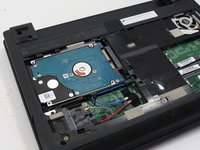
After removing the back panel, locate the hard drive located to the far left. It is distinguishable from other parts based on it's rectangular shape.
-
-
-
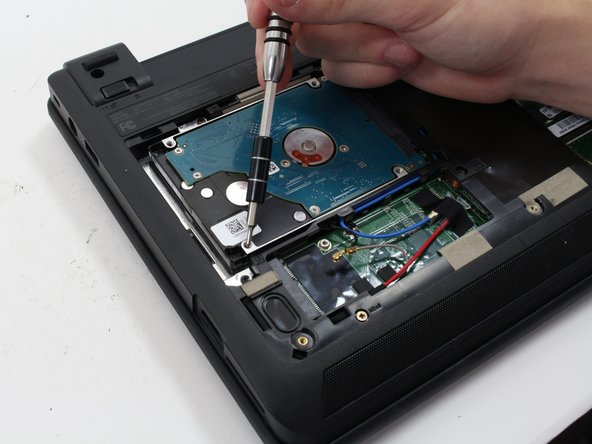
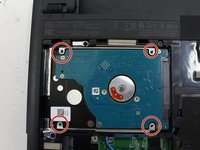
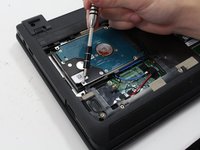
Remove the four 3.5 mm Phillips #0 screws attached on the four corners of the hard drive.
-
-
-
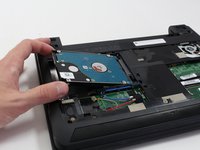
Slide the hard drive to the left.
-
Grip the hard drive on both sides and proceed to lift up to remove the hard drive.
-
-




To reassemble your device, follow these instructions in reverse order.
Cancel: I did not complete this guide.
One other person completed this guide.

Team

Cal Poly, Team 20-5, Livingston Fall 2016 Member of Cal Poly, Team 20-5, Livingston Fall 2016
CPSU-LIVINGSTON-F16S20G5
4 Members
60 Guides authored
