
Lenovo ThinkPad W541 Touchpad Replacement

Panaien Liu and 6 other contributors
Last updated on Jan 10, 2025
Views: 1K
View statistics:
- Past 24 Hours:
- 2
- Past 7 Days:
- 21
- Past 30 Days:
- 89
- All Time:
- 1,010
Comments: 1
1 guide comment.
Go to guide commentsCompleted: 0 1
No one has marked this guide "completed." Will you be the first?
1 person has marked this guide "completed." It's you — great job!
Favorites: 0 1
No one has favorited (and subscribed to) this guide. Will you be the first?
1 person has favorited (and subscribed to) this guide — and that's you!
Introduction
Go to step 1 ↓Use this guide to replace the touchpad on your Lenovo ThinkPad W541 laptop.
The touchpad is an essential component of any laptop, allowing you to navigate and interact with your device effortlessly. If you're experiencing problems with your ThinkPad W541 touchpad, don't worry, whether you're an experienced DIYer or a novice, this guide will lead you through the steps of repairing it and makes the process quick and simple.
What you need
Tools
-
Spudger4.9
-


-
-
-
Slide the clips outwards and remove the battery by pushing upwards.
-
Remove the two Phillips #00 screws on the cover plate. Remove the cover plate.
-
Remove four 9.0 mm Phillips #00 case screws.
-
Remove three 9.0 mm Phillips #00 screws circled with red in the second picture.
 Ask FixBot
-
-
-
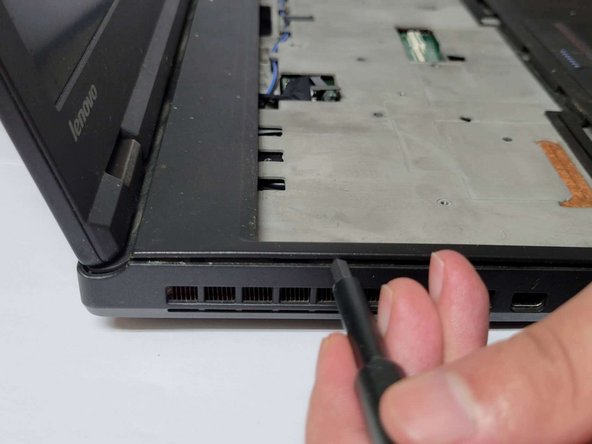
Slot the pry bar below the keypad as shown in the first picture below and push upwards.
-
Remove the six Phillips #000 screws circled with red in the second picture, lift up the keyboard.
-
-
-
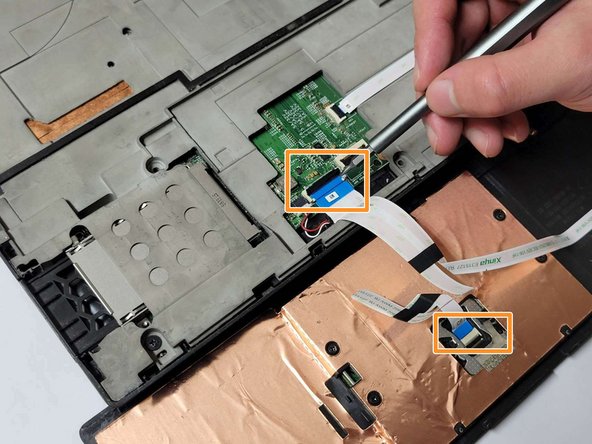
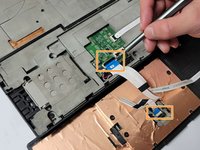
Open the black clips connected to the motherboard and remove the ribbon cable.
-
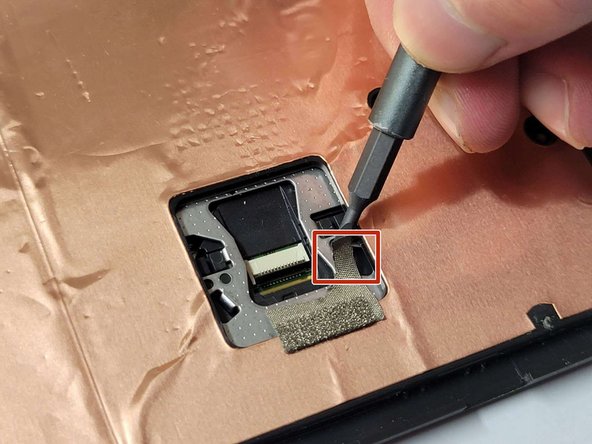
Use a pry bar to pry open the black protective casing upwards.
-
Flip the casing over. Open the black clips upwards and remove the cable.
-
-
-
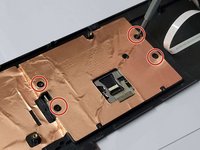
Remove the four 2.0 mm Phillips #000 screws circled with red in the first picture.
-
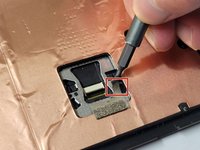
Carefully remove the metal tape and save for reassembly.
-
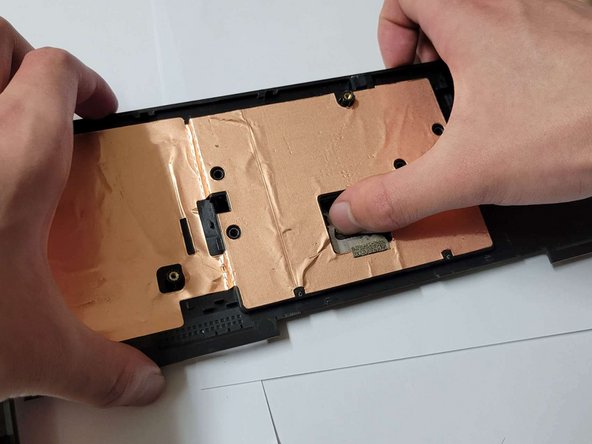
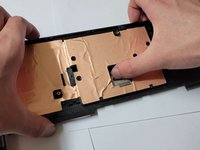
Apply slight pressure to the back of the broken trackpad.
-
-
-




To reassemble your device, follow these instructions in reverse order.

Team

York University, Team P-5, Allen Winter 2023 Member of York University, Team P-5, Allen Winter 2023
YORK-ALLEN-W23SPG5
1 Member
12 Guides authored
