Free Shipping on Domestic Orders $75+

Lenovo ThinkPad T580 CMOS Battery Replacement

What you need

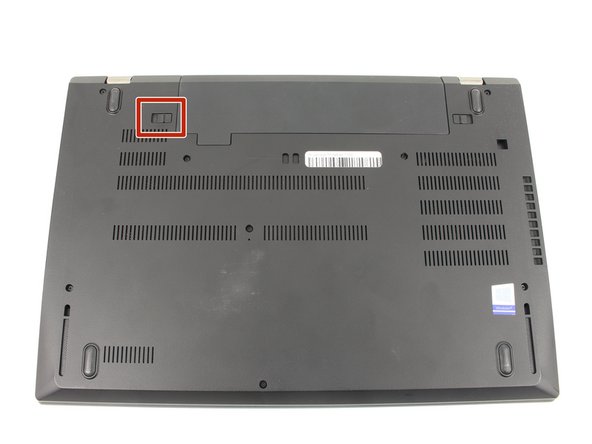
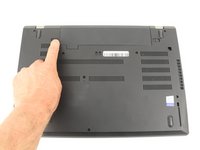
    1. Lenovo ThinkPad T580 CMOS Battery Replacement, External Battery: step 1, image 1 of 3 Lenovo ThinkPad T580 CMOS Battery Replacement, External Battery: step 1, image 2 of 3 Lenovo ThinkPad T580 CMOS Battery Replacement, External Battery: step 1, image 3 of 3
      • Slide the switch on the left side of the battery to the left.

      Ask FixBot

      Add Comment

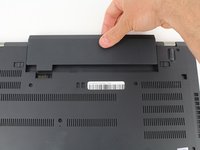
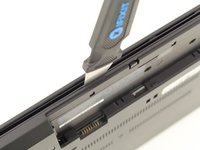
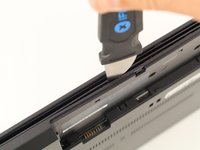
    2. Lenovo ThinkPad T580 CMOS Battery Replacement: step 2, image 1 of 3 Lenovo ThinkPad T580 CMOS Battery Replacement: step 2, image 2 of 3 Lenovo ThinkPad T580 CMOS Battery Replacement: step 2, image 3 of 3
      • Slide the switch on the right side of the battery to the right while applying upward pressure on the battery.

      Ask FixBot

      Add Comment

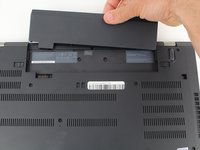
    3. Lenovo ThinkPad T580 CMOS Battery Replacement: step 3, image 1 of 3 Lenovo ThinkPad T580 CMOS Battery Replacement: step 3, image 2 of 3 Lenovo ThinkPad T580 CMOS Battery Replacement: step 3, image 3 of 3
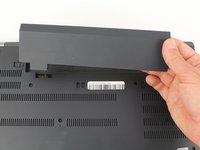
      • Pull the battery directly out of the socket

      Ask FixBot

      Add Comment

    1. Lenovo ThinkPad T580 CMOS Battery Replacement, Bottom Case: step 4, image 1 of 2 Lenovo ThinkPad T580 CMOS Battery Replacement, Bottom Case: step 4, image 2 of 2
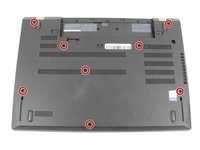
      • Using a Phillips #00 screwdriver, unscrew the eight 3.3 mm captive screws on the bottom of the laptop.

      • The "captive" screws will not come out of the case.

      Ask FixBot

      Add Comment

    2. Lenovo ThinkPad T580 CMOS Battery Replacement: step 5, image 1 of 3 Lenovo ThinkPad T580 CMOS Battery Replacement: step 5, image 2 of 3 Lenovo ThinkPad T580 CMOS Battery Replacement: step 5, image 3 of 3
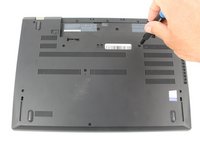
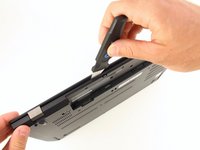
      • Run a Jimmy along the crease of the computer all the way around, twisting it periodically to disengage the clips.

      Ask FixBot

      Add Comment

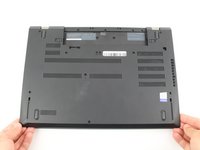
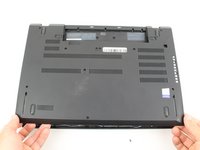
    3. Lenovo ThinkPad T580 CMOS Battery Replacement: step 6, image 1 of 3 Lenovo ThinkPad T580 CMOS Battery Replacement: step 6, image 2 of 3 Lenovo ThinkPad T580 CMOS Battery Replacement: step 6, image 3 of 3
      • Once all the clips are released, remove the bottom cover.

      • You may need to jiggle the case slightly to release the clips around the external battery bay.

      Ask FixBot

      Add Comment

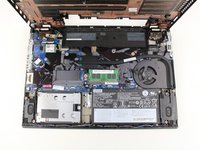
    1. Lenovo ThinkPad T580 CMOS Battery Replacement, Internal Battery: step 7, image 1 of 1
      • Using a Phillips #00 screwdriver, remove five 3.7 mm screws holding down the battery.

      Ask FixBot

      Add Comment

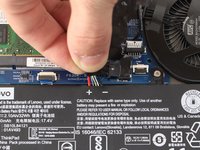
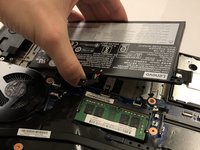
    2. Lenovo ThinkPad T580 CMOS Battery Replacement: step 8, image 1 of 3 Lenovo ThinkPad T580 CMOS Battery Replacement: step 8, image 2 of 3 Lenovo ThinkPad T580 CMOS Battery Replacement: step 8, image 3 of 3
      • Unplug and remove the battery connector from the motherboard.

      • Remove the internal battery.

      Ask FixBot

      Add Comment

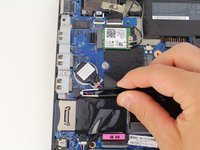
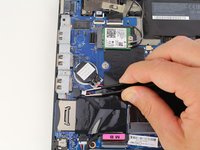
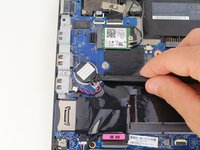
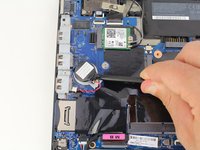
    1. Lenovo ThinkPad T580 CMOS Battery Replacement, CMOS Battery: step 9, image 1 of 3 Lenovo ThinkPad T580 CMOS Battery Replacement, CMOS Battery: step 9, image 2 of 3 Lenovo ThinkPad T580 CMOS Battery Replacement, CMOS Battery: step 9, image 3 of 3
      Tool used on this step:
      Tweezers
      $4.99
      Buy
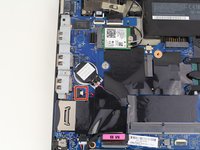
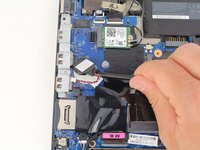
      • Pull out the CMOS battery cable connector with a pair of blunt nose tweezers.

      Ask FixBot

      Add Comment

    2. Lenovo ThinkPad T580 CMOS Battery Replacement: step 10, image 1 of 3 Lenovo ThinkPad T580 CMOS Battery Replacement: step 10, image 2 of 3 Lenovo ThinkPad T580 CMOS Battery Replacement: step 10, image 3 of 3
      • Using a spudger, pry the CMOS battery off of the motherboard.

      • A light adhesive holds the CMOS battery down to the motherboard. Be careful not to puncture the battery while prying it off.

      • Remove the CMOS battery.

      Ask FixBot

      Add Comment

Conclusion

To reassemble your device, follow these instructions in reverse order.

Cancel: I did not complete this guide.

One other person completed this guide.

Austin Blakely

Member since: 03/11/19

23,173 Reputation

53 Guides authored

Team

iFixit Member of iFixit

Staff

123 Members

77,712 Guides authored

0 Guide Comments

Add Comment

View Statistics:

Past 24 Hours: 0

Past 7 Days: 16

Past 30 Days: 61

All Time: 2,313