
Lenovo ThinkPad T560 Battery Replacement

Jackson Reynolds and 6 other contributors
Last updated on Sep 16, 2026
Views: 6K
View statistics:
- Past 24 Hours:
- 3
- Past 7 Days:
- 40
- Past 30 Days:
- 170
- All Time:
- 6,009
Comments: 4
3 comments on steps, 1 guide comment.
Go to guide commentsCompleted: 0 1
No one has marked this guide "completed." Will you be the first?
1 person has marked this guide "completed." It's you — great job!
Favorites: 0 1
No one has favorited (and subscribed to) this guide. Will you be the first?
1 person has favorited (and subscribed to) this guide — and that's you!
Action Shots
Be an action hero! This guide needs images that better demonstrate how to perform specific actions.
Needs More Images
A few more images would make this guide's procedures crystal clear.
Introduction
Go to step 1 ↓If the internal battery for your Lenovo Thinkpad T560 has gone bad and needs to be replaced, follow this guide. Note that the Lenovo Thinkpad T560 has two batteries: an internal battery and an external battery.
The most common reasons to why this component needs to be replaced are:
- The battery is failing to charge effectively
- The internal/external battery has gone bad
Before replacing the battery, make sure to power down the device and disconnect it from any external power sources.
What you need
Tools


-
-
-
Using the Phillips #0 screwdriver, remove the eight 7 mm screws holding the back panel to the T560.
 Ask FixBot
-
-
-
Use the iFixit opening tool to pry the back panel off your T560.
-
Work your way around the perimeter of the device to undo the clips and detach the back panel.
-
-
-
-
-
-
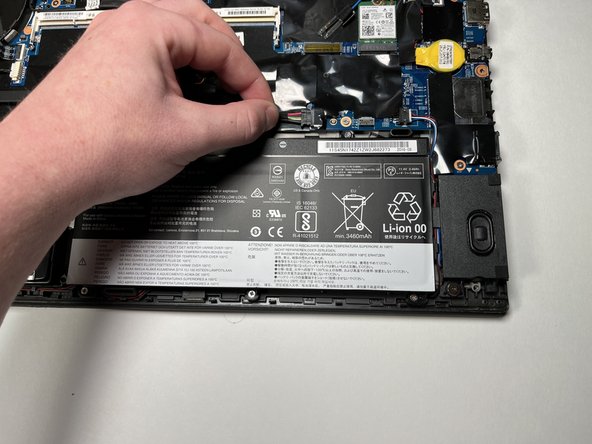
Disconnect the battery connector from the motherboard by pulling it out of the port.
-
-
-
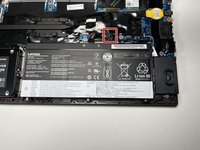
Using the Phillips #0 screwdriver, remove the five 3.5 mm screws securing the battery.
-
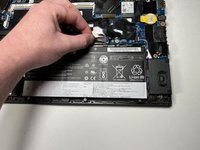
Remove the battery.
-
-



To reassemble your device, follow these instructions in reverse order.

Team

Clemson, Team 1-3, Hunter Spring 2022 Member of Clemson, Team 1-3, Hunter Spring 2022
CLEM-HUNTER-S22S1G3
5 Members
60 Guides authored
1 Guide Comment
Is there any way to disable the battery whitelist or otherwise get the device to work with 'unauthorized' external batteries as OEM external batteries are no longer produced by Lenovo or sold by any vendor including ifixit itself? I've had some that worked for close to a year now up until yesterday, when the laptop suddenly decided they are no longer official.
