Free Shipping on Domestic Orders $75+

Lenovo ThinkPad T500 Keyboard Replacement

What you need

  1. Lenovo ThinkPad T500 Keyboard Replacement, Keyboard: step 1, image 1 of 1
    • Remove the eight 14mm screws using the Phillips #0 Screwdriver.

    Ask FixBot

    Add Comment

  2. Lenovo ThinkPad T500 Keyboard Replacement: step 2, image 1 of 2 Lenovo ThinkPad T500 Keyboard Replacement: step 2, image 2 of 2
    • Lift the palm rest panel.

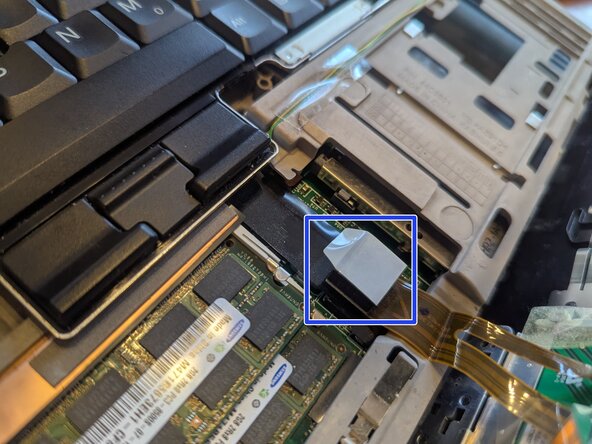
    • Lift the palm rest panel slowly; there is a ribbon cable connected under it.

    • The ribbon cable connecter is shown in the second image, circled in blue.

    Ask FixBot

    Add Comment

  3. Lenovo ThinkPad T500 Keyboard Replacement: step 3, image 1 of 2 Lenovo ThinkPad T500 Keyboard Replacement: step 3, image 2 of 2
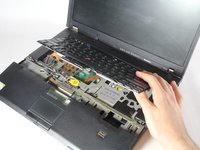
    • While lifting the panel, lift the keyboard up.

    • Be sure to lift the keyboard slowly; there is a ribbon cable attached under it.

    Ask FixBot

    Add Comment

  4. Lenovo ThinkPad T500 Keyboard Replacement: step 4, image 1 of 1
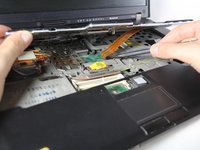
    • Use the spudger to disconnect the ribbon cable.

    Ask FixBot

    Add Comment

  5. Lenovo ThinkPad T500 Keyboard Replacement: step 5, image 1 of 1
    • Remove the keyboard.

    Ask FixBot

    Add Comment

Conclusion

To reassemble your device, follow these instructions in reverse order.

Cancel: I did not complete this guide.

6 other people completed this guide.

nicO

Member since: 04/14/15

15,990 Reputation

89 Guides authored

0 Guide Comments

Add Comment

View Statistics:

Past 24 Hours: 3

Past 7 Days: 14

Past 30 Days: 52

All Time: 4,162