
Lenovo ThinkPad T495s SSD Replacement

Ijhanne Holder and 4 other contributors
Last updated on Sep 22, 2022
Views: 2.6K
View statistics:
- Past 24 Hours:
- 2
- Past 7 Days:
- 28
- Past 30 Days:
- 96
- All Time:
- 2,595
Comments: 1
1 guide comment.
Go to guide commentsCompleted: 1 2
1 person has marked this guide "completed." Will you be next?
2 people have marked this guide "completed." Including you — great job!
Favorites: 0 1
No one has favorited (and subscribed to) this guide. Will you be the first?
1 person has favorited (and subscribed to) this guide — and that's you!
Introduction
Go to step 1 ↓If you need to replace the Solid State Drive (SSD) on your Lenovo ThinkPad T495s, this is the guide for you! SSDs use flash-based memory, which is much faster than a traditional hard drive. Installing an SSD in your laptop is one of the best ways to speed up your laptop.
What you need


-
-
-
-
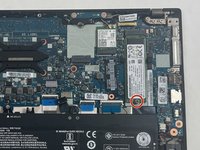
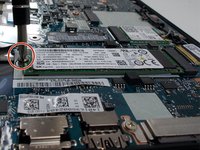
Use a Phillips #1 screwdriver to unscrew one 2.2 mm screw at the bottom of the SSD.
-
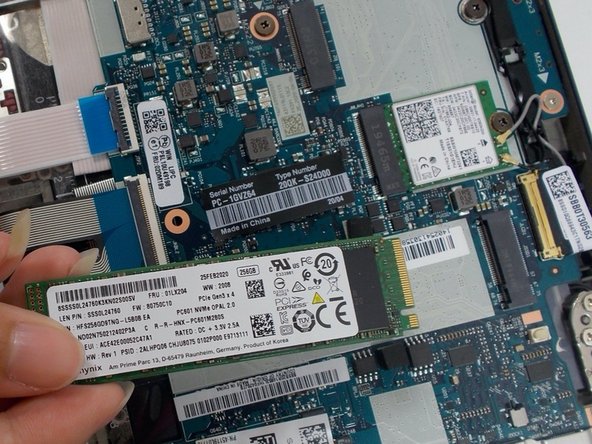
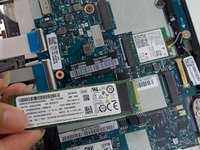
Use your hands to pull the SSD toward yourself, removing the SSD.
-
-

 Ask FixBot


To reassemble your device, follow these instructions in reverse order.
Cancel: I did not complete this guide.
One other person completed this guide.

Team

UMass Dartmouth, Team 1-7, Petersen Spring 2022 Member of UMass Dartmouth, Team 1-7, Petersen Spring 2022
UMASSD-PETERSEN-S22S1G7
3 Members
60 Guides authored
1 Guide Comment
thank you sis but dont tell me that doesn’t have a ram ??
