Free Shipping on Domestic Orders $75+

Lenovo ThinkPad T490s Battery Replacement

What you need

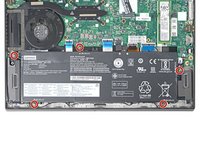
    1. Lenovo ThinkPad T490s Battery Replacement, Loosen the back screws: step 1, image 1 of 2 Lenovo ThinkPad T490s Battery Replacement, Loosen the back screws: step 1, image 2 of 2
      • For your safety, discharge the battery below 25% and power down your device before disassembly.

      • Use your Phillips #1 screwdriver to fully loosen the five screws on the back cover.

      • These screws are captive—they won't come out after being unscrewed.

      Ask FixBot

      Add Comment

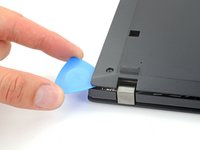
    2. Lenovo ThinkPad T490s Battery Replacement, Release the clips: step 2, image 1 of 2 Lenovo ThinkPad T490s Battery Replacement, Release the clips: step 2, image 2 of 2
      • Orient your laptop so that the screen's silver hinges are closest to you.

      • Insert an opening pick between the back cover and the device body near a hinge corner.

      • Pry upward to release the clips holding the cover. Listen for a loud click when each clip releases.

      Ask FixBot

      Add Comment

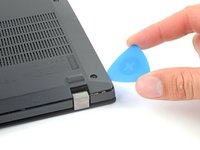
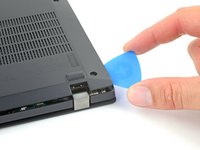
    3. Lenovo ThinkPad T490s Battery Replacement: step 3, image 1 of 2 Lenovo ThinkPad T490s Battery Replacement: step 3, image 2 of 2
      • Insert your opening pick between the cover and the device body at the other hinge corner.

      • Pry upward to release additional retaining clips.

      Ask FixBot

      Add Comment

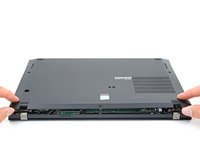
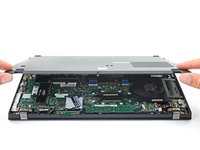
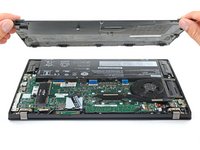
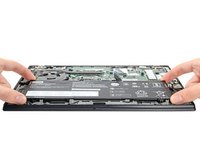
    4. Lenovo ThinkPad T490s Battery Replacement, Remove the back cover: step 4, image 1 of 3 Lenovo ThinkPad T490s Battery Replacement, Remove the back cover: step 4, image 2 of 3 Lenovo ThinkPad T490s Battery Replacement, Remove the back cover: step 4, image 3 of 3
      • Grab the front edge of the cover and lift it away from you.

      • There may be additional clips holding the cover in place. These remaining clips will release easily as you remove the cover.

      Ask FixBot

      Add Comment

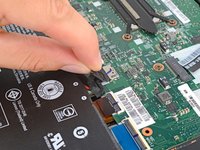
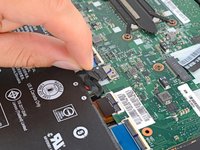
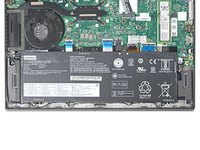
    1. Lenovo ThinkPad T490s Battery Replacement, Disconnect the battery cable: step 5, image 1 of 2 Lenovo ThinkPad T490s Battery Replacement, Disconnect the battery cable: step 5, image 2 of 2
      • Grab the battery pull-tab at the head of the connector.

      • Pull the connector out of its socket in the direction of the cable.

      Ask FixBot

      Add Comment

    1. Lenovo ThinkPad T490s Battery Replacement, Unfasten the battery: step 6, image 1 of 2 Lenovo ThinkPad T490s Battery Replacement, Unfasten the battery: step 6, image 2 of 2
      • Use a Phillips #0 screwdriver to remove the five 5.2 mm-long screws securing the battery.

      Ask FixBot

      Add Comment

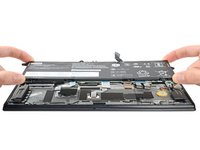
    2. Lenovo ThinkPad T490s Battery Replacement, Remove the battery: step 7, image 1 of 3 Lenovo ThinkPad T490s Battery Replacement, Remove the battery: step 7, image 2 of 3 Lenovo ThinkPad T490s Battery Replacement, Remove the battery: step 7, image 3 of 3
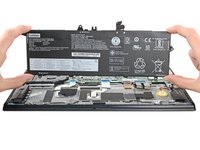
      • Lift the battery straight out of its recess and remove it.

      Ask FixBot

      Add Comment

Conclusion

To reassemble your device, follow these instructions in reverse order.

For optimal performance, calibrate your newly installed battery after completing this guide.

Take your e-waste to an R2 or e-Stewards certified recycler.

Repair didn’t go as planned? Try some basic troubleshooting, or ask our Answers community for help.

Cancel: I did not complete this guide.

One other person completed this guide.

Alex Diaz-Kokaisl

Member since: 01/16/22

247,513 Reputation

1,203 Guides authored

Team

iFixit Member of iFixit

Staff

123 Members

78,917 Guides authored

0 Guide Comments

Add Comment

View Statistics:

Past 24 Hours: 11

Past 7 Days: 116

Past 30 Days: 396

All Time: 14,781