
Lenovo ThinkPad T490s Back Cover Replacement

Clay Eickemeyer and one other contributor
Last updated on Jan 10, 2023
Views: 4.1K
View statistics:
- Past 24 Hours:
- 1
- Past 7 Days:
- 44
- Past 30 Days:
- 152
- All Time:
- 4,068
Comments: 0
No one has left comments on this guide. Will you be first?
Go to guide commentsCompleted: 0 1
No one has marked this guide "completed." Will you be the first?
1 person has marked this guide "completed." It's you — great job!
Favorites: 0 1
No one has favorited (and subscribed to) this guide. Will you be the first?
1 person has favorited (and subscribed to) this guide — and that's you!
Introduction
Go to step 1 ↓This guide will walk you through the process of replacing the back cover panel on your Thinkpad T490s. Opening the back cover allows access to all of the laptops internals, enabling you to replace, repair, or upgrade every major component.
What you need
Parts

Tools


-
-
-
Use your Phillips #1 screwdriver to fully loosen the five screws on the back cover.
 Ask FixBot
-
-
-
Orient your laptop so that the screen's silver hinges are closest to you.
-
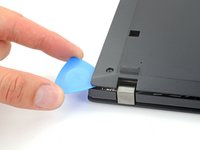
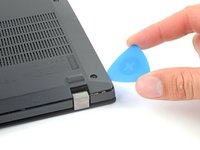
Insert an opening pick between the back cover and the device body near a hinge corner.
-
Pry upward to release the clips holding the cover. Listen for a loud click when each clip releases.
-
-
-
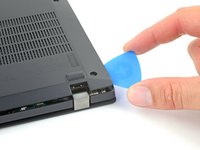
Insert your opening pick between the cover and the device body at the other hinge corner.
-
Pry upward to release additional retaining clips.
-
-
-
-
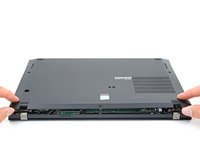
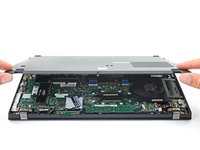
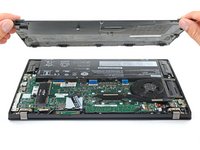
Grab the front edge of the cover and lift it away from you.
-
-






To reassemble your device, follow these instructions in reverse order.
Take your e-waste to an R2 or e-Stewards certified recycler.
Repair didn’t go as planned? Try some basic troubleshooting, or ask our Lenovo ThinkPad answers community for help.

