Introduction
This guide will show you how to replace the CMOS (complementary metal oxide semiconductor) battery on your Lenovo ThinkPad T490.
You may require replacement of the CMOS or coin cell battery if the laptop's setting setup randomly changes, the clock resets on its own, “Booting Error” messages appear, or the laptop runs slowly.
Before one begins, make sure to power down your device and disconnect from any external power sources.
What you need
-
-
-
Using a Philips #1 screwdriver fully loosen the six screws on the back cover.
 Ask FixBot
-
-
-
Insert the iFixit opening tool into the space between the baseplate and the chassis.
-
Glide the tool along the perimeter of the case in order to release the clips holding the case and chassis together.
-
-
-
-
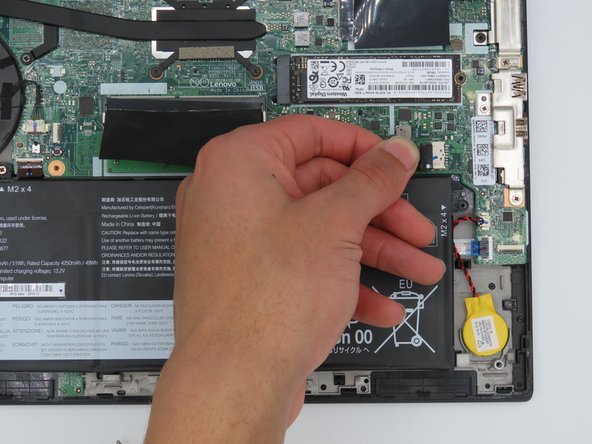
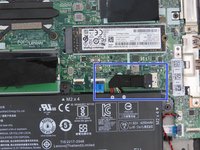
Locate the battery socket connector parallel to the motherboard.
-
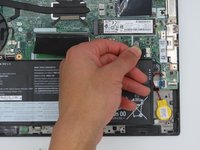
Slide the battery socket connector out of its socket on the motherboard.
-
-
-
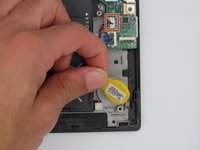
Unplug the connector from the socket on the motherboard.
-
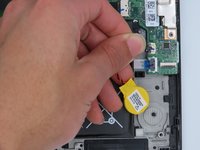
Pry the coin cell battery off of the motherboard.
-
-





To reassemble your device, follow these instructions in reverse order.
Cancel: I did not complete this guide.
One other person completed this guide.

Team

University of Kentucky, Team 1-3, Martin Spring 2024 Member of University of Kentucky, Team 1-3, Martin Spring 2024
UKY-MARTIN-S24S1G3
4 Members
48 Guides authored
