Introduction
Use this guide to replace the RAM in your Lenovo ThinkPad T480s.
RAM (short for “random access memory”) provides temporary storage for a computer. RAM enables a computer to run with optimal speed and performance. Some signs of faulty RAM include the blue screen of death, sluggish performance, or random crashes and reboots.
This laptop is equipped for a maximum memory module capacity of 24 GB. You can add one 16 GB 2400MHz DDR4 SO-DIMM. You can run a RAM diagnostic tool to see if replacement is needed.
Before beginning this guide, make sure to disable the internal battery, power down your device, and disconnect from any external power sources.
What you need
-
-
-
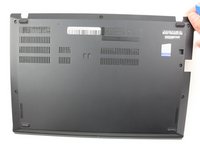
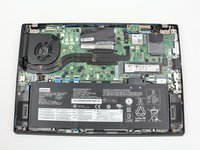
Remove the bottom cover with an opening tool.
-
Start from the top edge near the hinge and work your way along the edge until all of the clips are unsnapped.
-
-
-
-
-
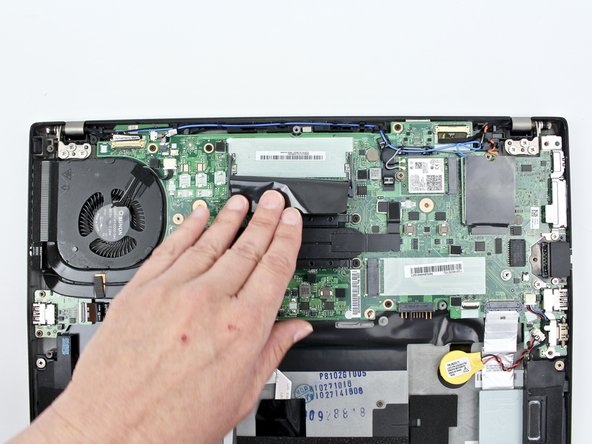
Pull the plastic film back.
-
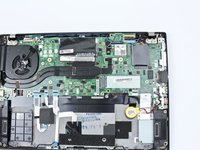
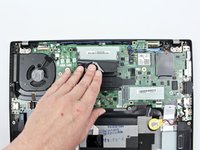
Push the clips outward to release the RAM stick.
-
The RAM stick will pop out at an angle. Pull the RAM stick out at the same angle.
-
-


 Ask FixBot




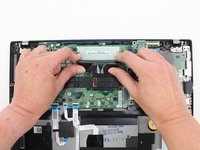
To reassemble your device, follow these instructions in reverse order.
Take your e-waste to an R2 or e-Stewards certified recycler.
Repair didn’t go as planned? Try some basic troubleshooting, or ask our Answers community for help.
Cancel: I did not complete this guide.
2 other people completed this guide.


2 Guide Comments
My only comment is that the photos don't show that the battery being removed. For the relatively simple task of replacing RAM on the T480s (compared to the other repairs listed here on iFixit), you are probably fine leaving the internal battery plugged in if you already turned it off via the UFEI/BIOS settings before starting this. However, I still do like to unplug the internal battery to be extra cautious.
The maximum amount of removable RAM that can be installed is 32GB (2400MHz DDR4), for a grand total amount of RAM of either 36GB or 40GB (corresponding to either 4GB or 8GB of soldered-on RAM), despite what the PSREF states for the ThinkPad T480s. (This was basically because only 16GB SODIMM RAM cards were being sold during 2018, when the T480s was released.)
