Introduction
Use this guide to replace the bottom cover of your Lenovo ThinkPad T480s laptop.
The bottom cover encloses the internal components of the laptop and provides proper ventilation for the fan. You may need to replace the bottom cover if it is cracked or physically damaged to the point where it is exposing the laptop’s internals.
Make sure to disable the internal battery, power down your device, and disconnect from any external power sources before you begin.
What you need
-
-
-
-
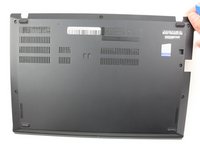
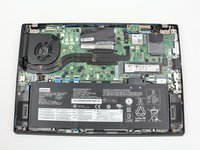
Remove the bottom cover with an opening tool.
-
Start from the top edge near the hinge and work your way along the edge until all of the clips are unsnapped.
-


 Ask FixBot


To reassemble your device, follow these instructions in reverse order.
Take your e-waste to an R2 or e-Stewards certified recycler.
Repair didn’t go as planned? Try some basic troubleshooting, or ask our Answers community for help.
Cancel: I did not complete this guide.
One other person completed this guide.


