Introduction
Hello everyone, in this guide Ill be showing you how to open the laptop in order to change the thermal paste, as well as to possibly upgrade the RAM or the SSD inside.
What you need
-
-
-
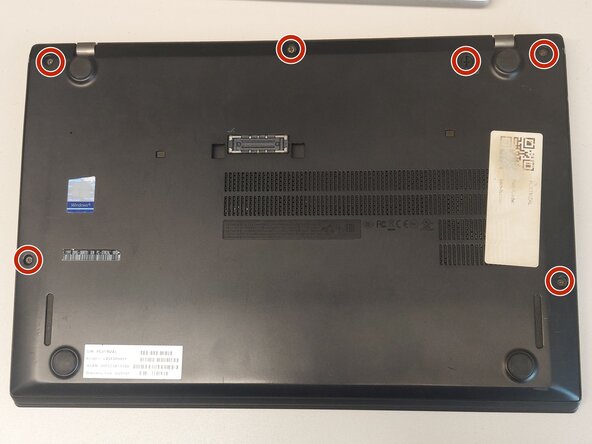
Remove the screws that hold the back panel and unlock the battery. In my case the battery was already removed.
-
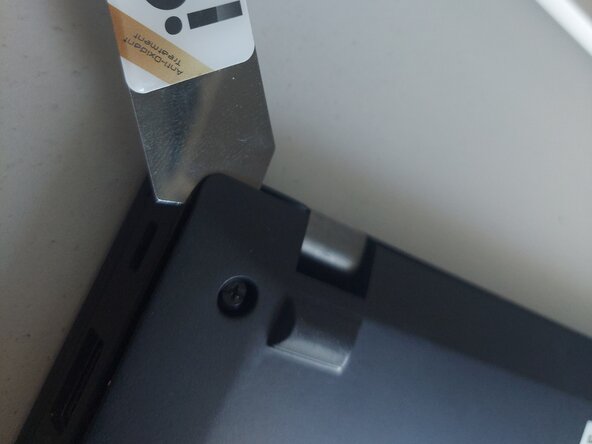
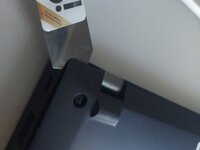
Use a prying tool to release all the clips and remove the panel.
-
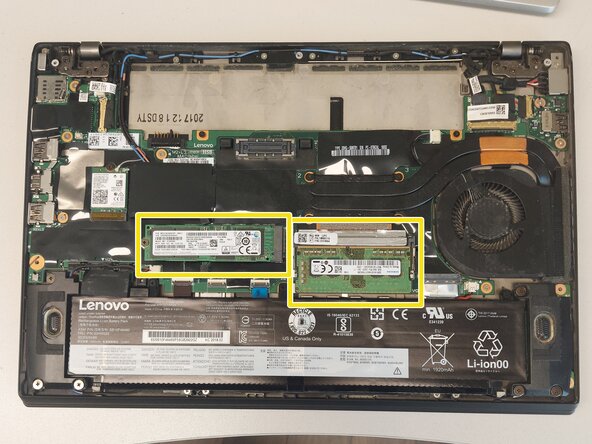
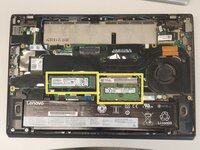
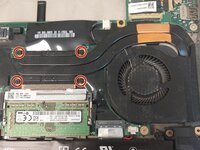
Now is a good idea to upgrade the SSD and RAM.
 Ask FixBot
-
-
-
-
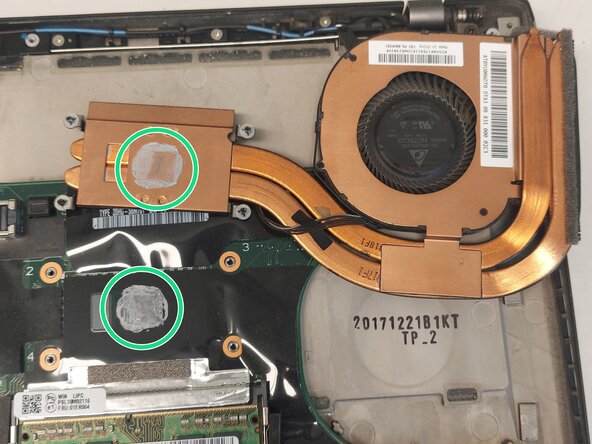
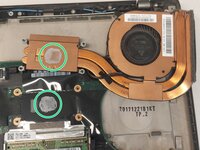
Clean the old thermal paste both from the cooler and the CPU. It is best to use isopropyl alcohol and cotton swabs or paper towel, but be careful not to go too hard on the CPU.
-
It is also recommended to use compressed air to remove any dust in the laptop and the fan.
-
Dont use too much thermal paste, just enough to cover some portion of the pad. If you have a spreader, use it. The thermal paste will apply evenly after you tighten the heatsink.
-
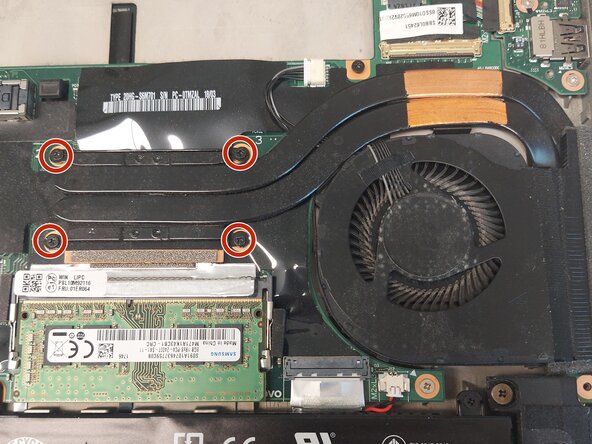
Last, put the heatsink back carefully and tighten the screws in order to ensure even pressure.
-
-
To reassemble your device, follow these instructions in reverse order.
Cancel: I did not complete this guide.
2 other people completed this guide.

