Introduction
This guide will give you step-by-step instructions on how to safely remove your Battery. The Battery is a device that stores energy for your laptop.
What you need
-
-
-
Remove the 8 screws holding down the back panel, using the Phillips screw driver #000.
 Ask FixBot
-
-
-
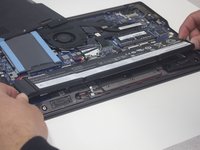
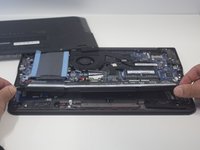
Remove the 3 screws using the Phillips screwdriver #000. The screws are wafer-heads, size m2x4mm.
-
-
-


Conclusion
To reassemble your device, follow these instructions in reverse order.

Team

Linn Benton Community College, Team S2-G2, Johnson Spring 2018 Member of Linn Benton Community College, Team S2-G2, Johnson Spring 2018
LBCC-JOHNSON-S18S2G2
4 Members
84 Guides authored
