Introduction
This guide will describe how to remove and replace the battery in a Lenovo ThinkPad L14 Gen 2 computer (Serial Number: PF-38VNB5, Type Number: 20X1-006FUS). It's important for the battery to be healthy as it is what keeps your computer running. The battery is commonly located on the underside of the laptop, meaning you must open up the back panel.
See this troubleshooting page for more information on the probable causes for poor battery lifecycle: Lenovo ThinkPad L14 Gen 2 Battery Drains Quickly
- CAUTION: Make sure your computer is completely off before attempting to open the back panel and removing the battery.
- Disconnect the laptop from any plugs (chargers, etc.).
- If you notice the keyboard or the underside of your laptop bulging, it could be possible that your battery is swelling. Before removing, you must ensure that your battery is discharged. Any punctures could lead to the battery exploding or causing a fire due to the chemicals inside. Do not dispose of the swollen battery in your household waste!
- Please refer to the following resources for additional research if needed:
What you need
-
-
-
Turn your Lenovo ThinkPad L14 Gen 2 so that the bottom of the laptop is facing upward.
-
Using a Phillips #00 screwdriver, unscrew the nine 5 mm spring secured screws.
 Ask FixBot
-
-
-
-
-
-
Remove the three 5 mm screws near the battery using a Phillips #00 screwdriver.
-
-


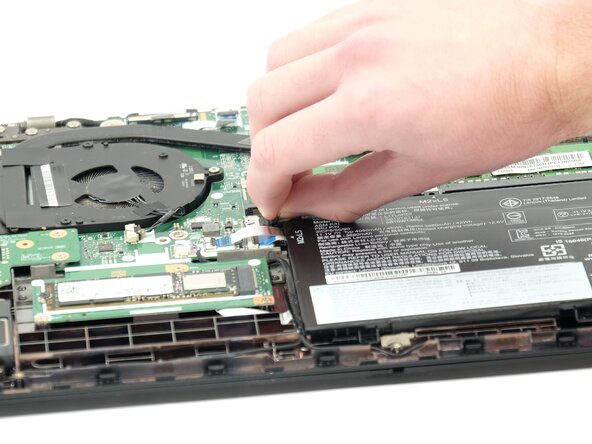
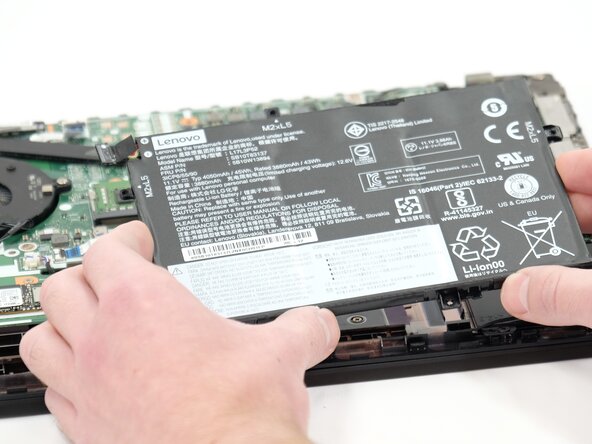


To reassemble your device, follow these instructions in reverse order.

Team

Linn Benton Community College, Team 1-2, Karnes Fall 2025 Member of Linn Benton Community College, Team 1-2, Karnes Fall 2025
LBCC-KARNES-F25S1G2
4 Members
72 Guides authored
