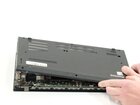
Lenovo ThinkPad L14 Gen 2 Back Panel Replacement

Spencer Berg and 4 other contributors
Last updated on Dec 29, 2025
Views: 765
View statistics:
- Past 24 Hours:
- 2
- Past 7 Days:
- 25
- Past 30 Days:
- 129
- All Time:
- 765
Comments: 0
No one has left comments on this guide. Will you be first?
Go to guide commentsCompleted: 0 1
No one has marked this guide "completed." Will you be the first?
1 person has marked this guide "completed." It's you — great job!
Favorites: 0 1
No one has favorited (and subscribed to) this guide. Will you be the first?
1 person has favorited (and subscribed to) this guide — and that's you!
Introduction
Go to step 1 ↓This is a guide on how to remove the back panel of the Lenovo ThinkPad L14 Gen 2 (ID-TP00120F2) (TN-20x 1-006FUS) (SN -PF-38VNB5). The back panel not only protects your motherboard, but also holds various ports, connectors, switches, and buttons. Removing this part will give you access to the innards of the laptop, which is where you can find the battery, SSD card, etc.
- Caution: Due to the sensitive nature of electronic components, be sure to wear an electromagnetic wristband or ground yourself by touching metal to avoid electrostatic discharge. Electrostatic discharge may cause damage to your motherboard.
- Caution: Be sure your laptop is completely off and cooled down before continuing.
For additional information refer to helpful these links:
What you need
Parts

Tools


-
-
-
Turn your Lenovo ThinkPad L14 Gen 2 so that the bottom of the laptop is facing upward.
-
Using a Phillips #00 screwdriver, unscrew the nine 5 mm spring secured screws.
 Ask FixBot
-
-
-


To reassemble your device, follow these instructions in reverse order.

Team

Linn Benton Community College, Team 1-2, Karnes Fall 2025 Member of Linn Benton Community College, Team 1-2, Karnes Fall 2025
LBCC-KARNES-F25S1G2
4 Members
72 Guides authored
