
Lenovo ThinkPad Edge E520 USB Drive Replacement

Holly Dunham and 5 other contributors
Last updated on Jan 15, 2026
Views: 875
View statistics:
- Past 24 Hours:
- 2
- Past 7 Days:
- 18
- Past 30 Days:
- 71
- All Time:
- 875
Comments: 0
No one has left comments on this guide. Will you be first?
Go to guide commentsCompleted: 1 2
1 person has marked this guide "completed." Will you be next?
2 people have marked this guide "completed." Including you — great job!
Favorites: 0 1
No one has favorited (and subscribed to) this guide. Will you be the first?
1 person has favorited (and subscribed to) this guide — and that's you!
Needs Better Images
Better photos will improve this guide. Help out by taking, editing, or uploading new ones!
Better Introduction
Improve this guide by completing or revising its introduction.
Introduction
Go to step 1 ↓This guide assists you in replacing the USB Drive for the Lenovo Thinkpad Edge E520.
What you need
Tools
-
Spudger4.9


-
-
-
Flip over the laptop and position it with the battery being furthest away from you.
-
Remove the four screws on the edges of the T-Shaped plate with a Phillips #0 screwdriver.
-
Remove the T-Shaped plate from the back of the computer. It should come off easily if all four aforementioned screws are removed.
 Ask FixBot
-
-
-
-
-
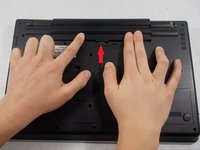
Flip the computer so that the back is facing upwards.
-
Locate the switch used to release the battery.
-
-
-
Slide the switch towards the unlocked lock icon.
-
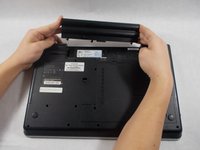
While holding it in the unlocked position, slide the battery towards the hinge.
-
Fully separate the battery pack from the back of the laptop.
-
-
-
-
Unscrew the two 3.175 mm diameter and 6.35 mm length screws with keyboard symbols pointing at them using a Phillips head screwdriver.
-
-
-
Turn the laptop back over so that the keyboard is facing you.
-
Use your hands to separate the keyboard from the laptop
-
-
-
-
-
Remove all remaining screws on the back of the device.
-
Screw length 6.35 mm, head 3.175 mm Screws behind battery length 3.175 mm, head 3.175 mm
-
-
-
Flip device back over and open the screen.
-
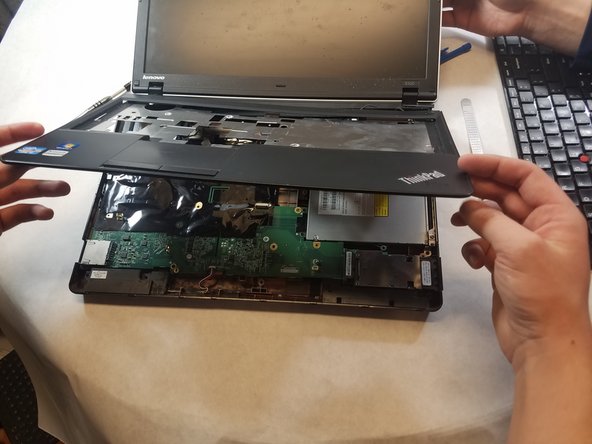
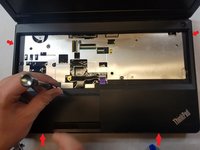
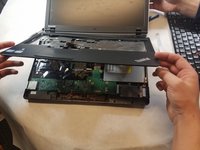
Insert the prying tool on one edge of the case and follow along all four edges until the case frees up.
-
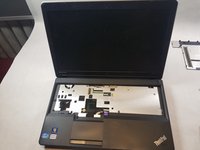
Remove the case.
-
-
-
-
-
-
There is a silver rectangle next to the CD drive.
-
Remove the black tray from the silver rectangular box.
-
-
-
There are two screws that are 1/8 inch under the square cutouts in the silver rectangular box.
-
Unscrew the two screws with a Phillips head screwdriver.
-
-






To reassemble your device, follow these instructions in reverse order.
Cancel: I did not complete this guide.
One other person completed this guide.

Team

UMass Dartmouth, Team S1-G2, Simcock Spring 2018 Member of UMass Dartmouth, Team S1-G2, Simcock Spring 2018
UMASSD-SIMCOCK-S18S1G2
4 Members
96 Guides authored
