Introduction
This guide will walk you through how to replace the keyboard on your Lenovo ThinkPad E570 laptop. If your keys are malfunctioning even if your drivers are up to date, you may need to replace the keyboard.
Be sure to power down, unplug, and remove the battery before beginning this guide.
What you need
-
-
-
-
Flip the laptop over and open the lid.
-
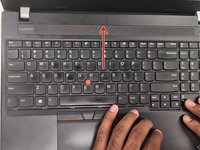
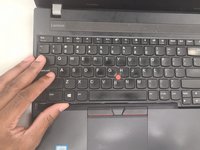
Gently press against the keyboard and slide it up.
-
-
-
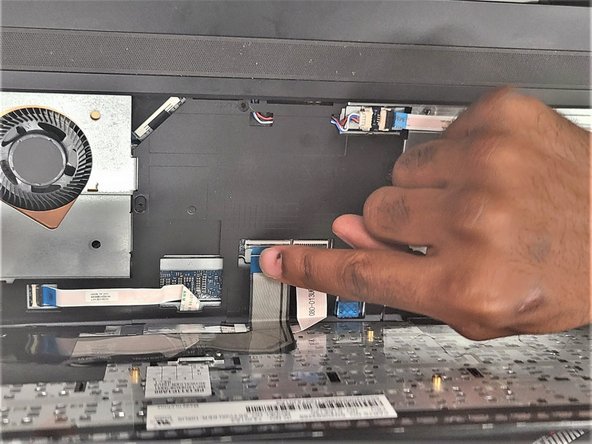
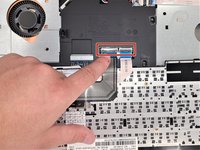
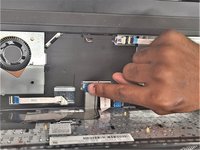
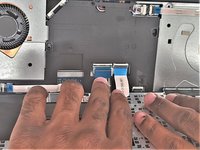
Pull up keyboard from the casing and flip it towards you to access its cables.
-
-
-
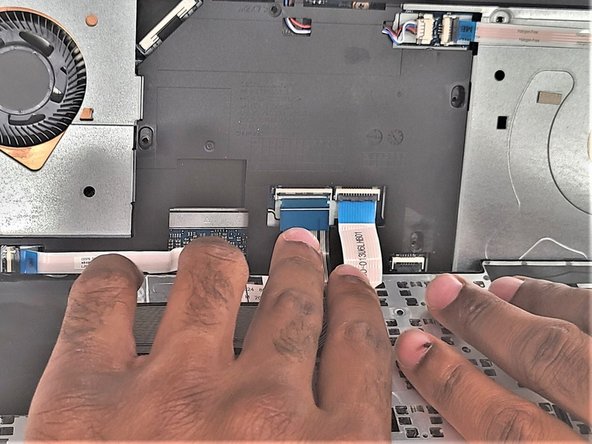
Unlatch two connector cables from the keyboards and pull the skinny black tab up to disconnect the keyboard.
-

 Ask FixBot




To reassemble your device, follow these instructions in reverse order.
Cancel: I did not complete this guide.
One other person completed this guide.

Team

IUPUI, Team 1-2, Harley Summer 2023 Member of IUPUI, Team 1-2, Harley Summer 2023
IUPUI-HARLEY-SU23S1G2
3 Members
36 Guides authored
