Introduction
Need to fix some hardware in your device? Here's how to get started!
Before opening your ThinkPad, first make sure that your device is completely powered off and that your charging cable is disconnected. Make sure there is no electricity actively flowing through the device before touching anything inside. Components within the device may be sharp, so watch your fingers!
Note: This guide was written with a 21E3 model, but the process is the same for all E14 Gen 4 ThinkPads.
What you need
-
-
First start off by using your screwdriver to remove the screws from the back metal shield or cover. Loosen all seven captive screws on the back panel of the device with a Phillips #1 screwdriver.
 Ask FixBot
-
-
-
-
Insert an opening pick into the seam near the hinges.
-
Working from the hinges to the front, gently pry apart the back of the device from the main body.
-
-
-
Carefully lift the loosened panel away from the laptop. The metal spudger is useful when extra prying force is needed, but a black nylon spudger or iFixit opening tool should be used whenever possible.
-


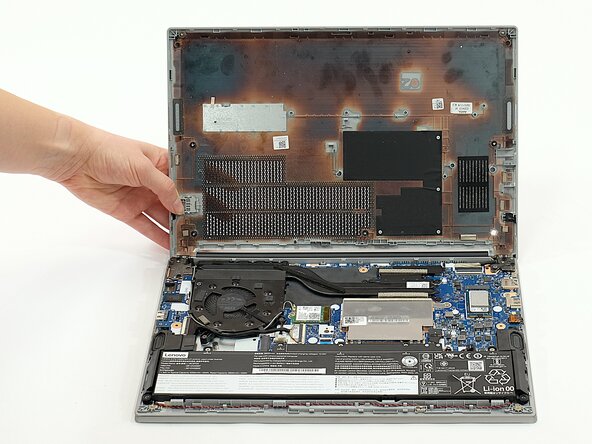
To reassemble your device, follow these instructions in reverse order.

Team

Linn Benton Community College, Team 1-4, Karnes Fall 2025 Member of Linn Benton Community College, Team 1-4, Karnes Fall 2025
LBCC-KARNES-F25S1G4
4 Members
6 Guides authored
