Introduction
This guide will show you how to safely remove and replace the trackpad on your Lenovo ThinkPad A Series laptop.
What you need
-
-
-
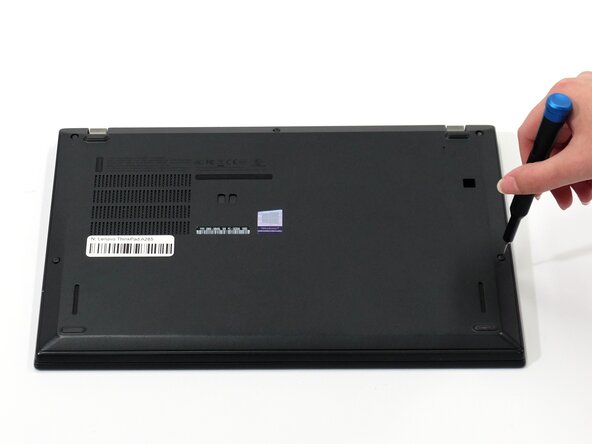
Flip your laptop over so the bottom panel is facing up.
-
Use a Phillips #0 to loosen the five screws holding the back panel to the laptop.
-
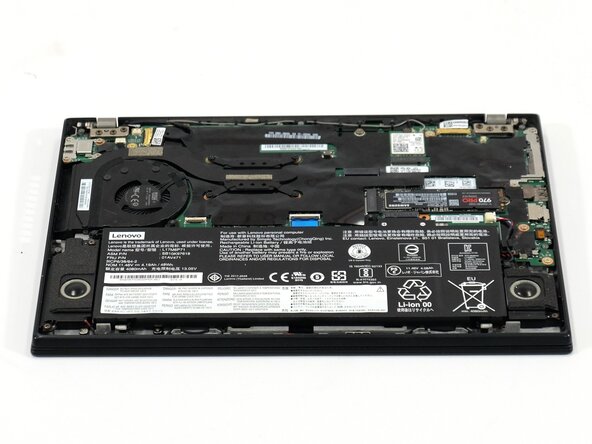
Lift the bottom of the panel to separate the back panel away from the device.
-
Remove the back panel.
 Ask FixBot
-
-
-
-
-
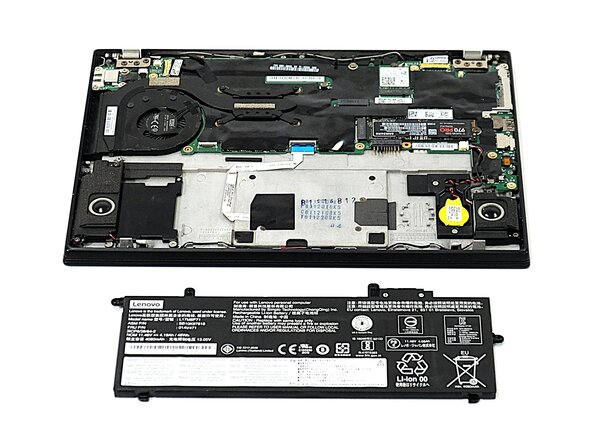
Use a Phillips #0 screwdriver to remove the four 5 mm screws connecting the battery to the device.
-
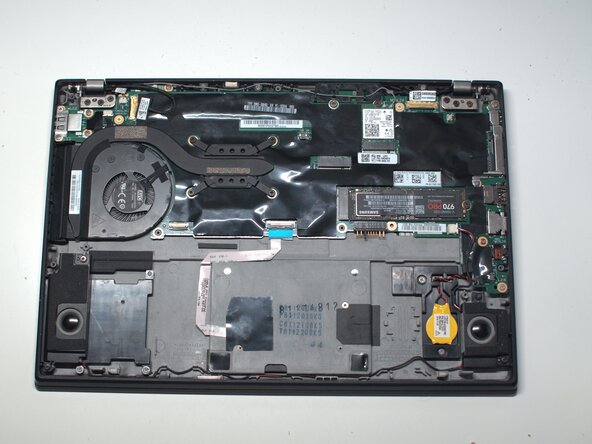
Slide the battery away from the connector on the motherboard to remove it.
-
-
-
-
-
-
Lift the black film covering the trackpad connector and screw.
-
Flip up the trackpad locking flap.
-
Remove the final Phillips screw.
-







To reassemble your device, follow the above steps in reverse order.
Take your e-waste to an R2 or e-Stewards certified recycler.
Repair didn’t go as planned? Try some basic troubleshooting or ask our Answers community for help.

Team

UW Tacoma, Team E-4, Rose Fall 2025 Member of UW Tacoma, Team E-4, Rose Fall 2025
UWT-ROSE-F25SEG4
4 Members
48 Guides authored
