Free Shipping on Domestic Orders $75+

Lenovo ThinkBook 14 G2 ITL CMOS Replacement

What you need

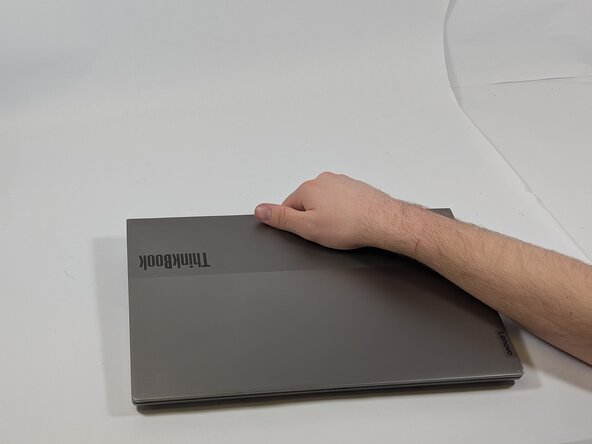
    1. Lenovo ThinkBook 14 G2 ITL CMOS Replacement, Bottom Cover: step 1, image 1 of 3 Lenovo ThinkBook 14 G2 ITL CMOS Replacement, Bottom Cover: step 1, image 2 of 3 Lenovo ThinkBook 14 G2 ITL CMOS Replacement, Bottom Cover: step 1, image 3 of 3
      • Ensure the laptop has been fully powered off and flip it upside down.

      Ask FixBot

      Add Comment

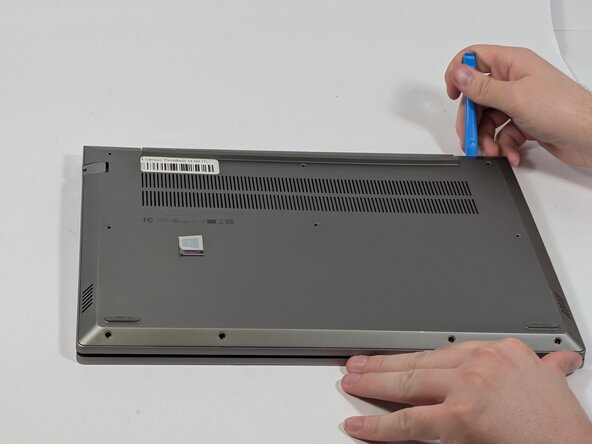
    2. Lenovo ThinkBook 14 G2 ITL CMOS Replacement: step 2, image 1 of 2 Lenovo ThinkBook 14 G2 ITL CMOS Replacement: step 2, image 2 of 2
      • Remove the ten 8 mm screws using a Phillips #00 screwdriver.

      Ask FixBot

      Add Comment

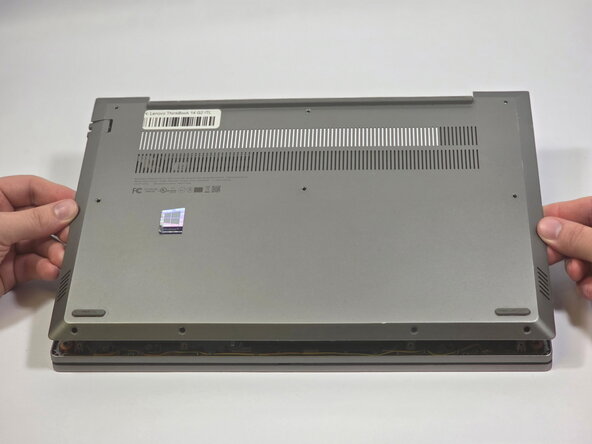
    3. Lenovo ThinkBook 14 G2 ITL CMOS Replacement: step 3, image 1 of 3 Lenovo ThinkBook 14 G2 ITL CMOS Replacement: step 3, image 2 of 3 Lenovo ThinkBook 14 G2 ITL CMOS Replacement: step 3, image 3 of 3
      • Use the opening tool to carefully remove the back cover.

      Ask FixBot

      Add Comment

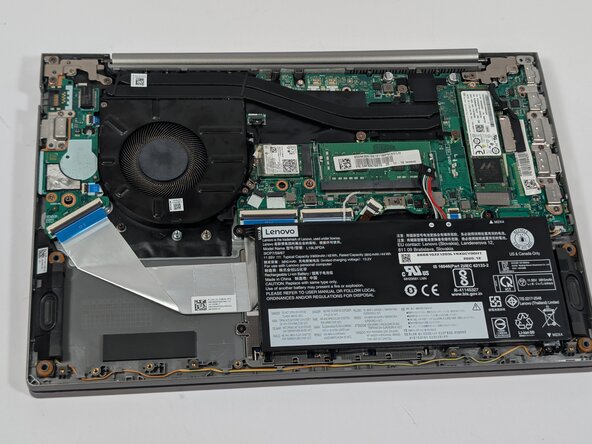
    1. Lenovo ThinkBook 14 G2 ITL CMOS Replacement, CMOS: step 4, image 1 of 2 Lenovo ThinkBook 14 G2 ITL CMOS Replacement, CMOS: step 4, image 2 of 2
      • Disconnect the battery connector from the battery terminal using the pointy end of the spudger.

      • Ensure the battery is disconnected before proceeding to avoid damage to the motherboard.

      Ask FixBot

      Add Comment

    2. Lenovo ThinkBook 14 G2 ITL CMOS Replacement: step 5, image 1 of 2 Lenovo ThinkBook 14 G2 ITL CMOS Replacement: step 5, image 2 of 2
      • Disconnect the CMOS connector from the CMOS terminal with the pointy end of a spudger.

      Ask FixBot

      Add Comment

    3. Lenovo ThinkBook 14 G2 ITL CMOS Replacement: step 6, image 1 of 2 Lenovo ThinkBook 14 G2 ITL CMOS Replacement: step 6, image 2 of 2
      • Peel off the CMOS battery from the I/O board with the flat side of a spudger.

      Ask FixBot

      Add Comment

Conclusion

To reassemble your device, follow these instructions in reverse order.

Cancel: I did not complete this guide.

0 Guide Comments

Add Comment

View Statistics:

Past 24 Hours: 2

Past 7 Days: 13

Past 30 Days: 51

All Time: 175