
Lenovo Tab 2 A8 Volume & Power Button Sensor Replacement

Taylor Smith and 4 other contributors
Last updated on May 7, 2024
Views: 3.8K
View statistics:
- Past 24 Hours:
- 5
- Past 7 Days:
- 21
- Past 30 Days:
- 105
- All Time:
- 3,752
Comments: 0
No one has left comments on this guide. Will you be first?
Go to guide commentsCompleted: 3 4
3 people have marked this guide "completed." Will you be next?
4 people have marked this guide "completed." Including you — great job!
Favorites: 0 1
No one has favorited (and subscribed to) this guide. Will you be the first?
1 person has favorited (and subscribed to) this guide — and that's you!
Incorrect Tools
Help make this guide better by using the correct tools in images and/or text.
Missing Steps
Oops! This guide is currently missing one or more important steps.
Introduction
Go to step 1 ↓This replacement guide will describe how to remove the back cover on your device in order to access the volume and power buttons and button sensors. This guide also explains how to remove the existing button sensors before replacement.
What you need
Tools


-
-
Tool used on this step:Tweezers$4.99
-
Place the tablet face down on a soft, stable surface that will protect the screen.
-
Next, Scrape off the seal over the screw in the back of the tablet with a Metal Spudger.
-
Use the Phillips #000 Screwdriver to remove the M1.4 × 2.5 screw.
 Ask FixBot
-
-
-
-
Starting on the side, work your way around the the tablet to pop off the back cover. You will want to utilize a metal Spudger for this.
-
-
-
-
Tool used on this step:Tweezers$4.99
-
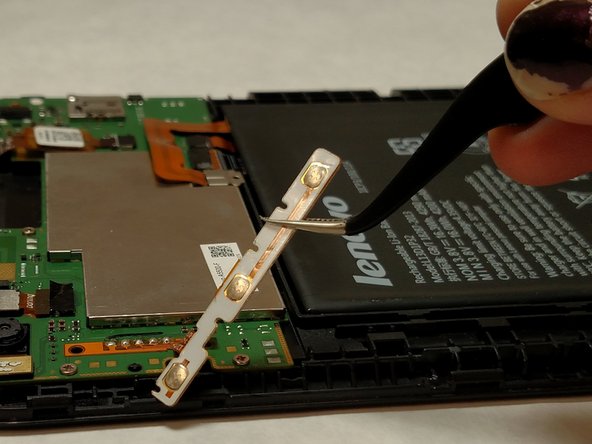
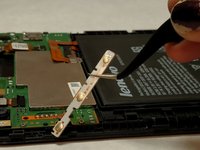
Use tweezers to gently lift the button panel away from the device. Be aware that pulling on the ribbon with too much force could tear the ribbon cable.
-
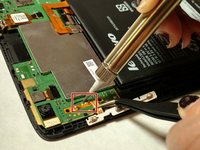
Carefully desolder the button strip contact point.
-
-


To reassemble your device, follow these instructions in reverse order.
Cancel: I did not complete this guide.
3 other people completed this guide.

Team

IUPUI, Team 2-4, Baechle Spring 2017 Member of IUPUI, Team 2-4, Baechle Spring 2017
IUPUI-BAECHLE-S17S2G4
4 Members
72 Guides authored
