Free Shipping on Domestic Orders $75+

Lenovo Tab 2 A8 Battery Replacement

What you need

    1. Lenovo Tab 2 A8 Battery Replacement, Removing the Back Panel: step 1, image 1 of 3 Lenovo Tab 2 A8 Battery Replacement, Removing the Back Panel: step 1, image 2 of 3 Lenovo Tab 2 A8 Battery Replacement, Removing the Back Panel: step 1, image 3 of 3
      Tool used on this step:
      Tweezers
      $4.99
      Buy
      • Place the tablet face down on a soft, stable surface that will protect the screen.

      • Next, Scrape off the seal over the screw in the back of the tablet with a Metal Spudger.

      • Use the Phillips #000 Screwdriver to remove the M1.4 × 2.5 screw.

      • If the seal covering the screw has already been removed, please proceed to the next step in the process.

      • As the screw is small, you may wish to extract it using a pair of tweezers.

      Ask FixBot

      Add Comment

    2. Lenovo Tab 2 A8 Battery Replacement: step 2, image 1 of 3 Lenovo Tab 2 A8 Battery Replacement: step 2, image 2 of 3 Lenovo Tab 2 A8 Battery Replacement: step 2, image 3 of 3
      • Starting on the side, work your way around the the tablet to pop off the back cover. You will want to utilize a metal Spudger for this.

      • Some force may be required initially to pry the back cover off.

      • Note that the button tabs for this device are loose inside the case and will fall out when opening.

      Ask FixBot

      Add Comment

    1. Lenovo Tab 2 A8 Battery Replacement, Battery: step 3, image 1 of 2 Lenovo Tab 2 A8 Battery Replacement, Battery: step 3, image 2 of 2
      Tool used on this step:
      Tweezers
      $4.99
      Buy
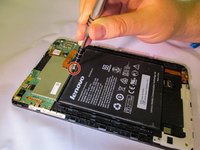
      • Using a counterclockwise motion with the Phillips #000 screwdriver, remove the M1.4 × 2.5 screw that holds down the copper strip connected to the battery.

      • With a pair of Tweezers, carefully unplug the strip connecting the battery to the motherboard.

      Ask FixBot

      Add Comment

    2. Lenovo Tab 2 A8 Battery Replacement: step 4, image 1 of 3 Lenovo Tab 2 A8 Battery Replacement: step 4, image 2 of 3 Lenovo Tab 2 A8 Battery Replacement: step 4, image 3 of 3
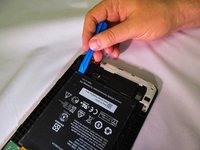
      • Working your way around the edge of the battery, pry out the battery using a plastic opening tool

      • Be aware that the battery is held in by double-sided tape on the underside

      Ask FixBot

      Add Comment

Conclusion

To reassemble your device, follow these instructions in reverse order.

Cancel: I did not complete this guide.

5 other people completed this guide.

2 Guide Comments

Thanks... but where do we find a replacement battery?

sebtrudel - Reply Share

I fixit might have a replacement battery

storm builder - Reply Share

Add Comment

View Statistics:

Past 24 Hours: 1

Past 7 Days: 12

Past 30 Days: 53

All Time: 12,968