
Lenovo Miix 2 Battery Replacement

Nicolas Jones and 5 other contributors
Last updated on Jun 27, 2019
Views: 9.8K
View statistics:
- Past 24 Hours:
- 4
- Past 7 Days:
- 28
- Past 30 Days:
- 126
- All Time:
- 9,760
Comments: 0
No one has left comments on this guide. Will you be first?
Go to guide commentsCompleted: 3 4
3 people have marked this guide "completed." Will you be next?
4 people have marked this guide "completed." Including you — great job!
Favorites: 1 2
1 person has favorited (and subscribed to) this guide. Will you be next?
2 people have favorited (and subscribed to) this guide — including you!
Introduction
Go to step 1 ↓This guide explains how to quickly open the back case of the Miix 2 using spudgers and a screwdriver.
What you need
Tools
-
-
Spudger4.9


-
-
-
Remove the back cover of the tablet by inserting a nylon or metal spudger in the small hole between the screen and rear cover near the volume button. Slide the tool along the edge of the tablet to release the internal clasps.
 Ask FixBot
-
-
-
Unscrew the six 3mm screws surrounding the battery dock using a Phillips #0 screwdriver.
-
-
-
-
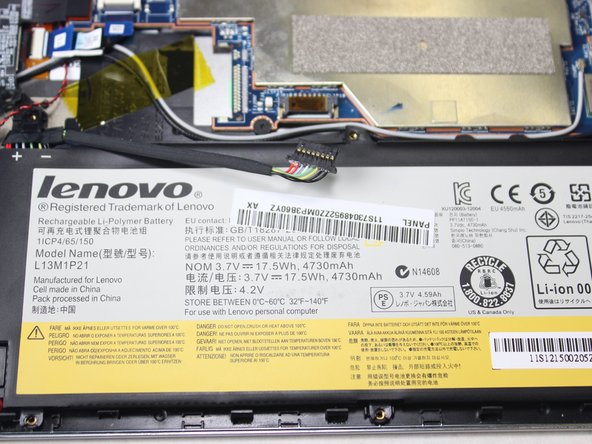
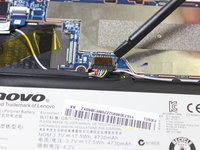
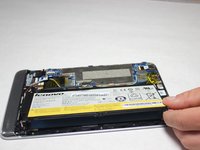
Using a plastic spudger, slowly push each side of the battery connector (back and forward a couple of times) out of its socket on the motherboard.
-
-




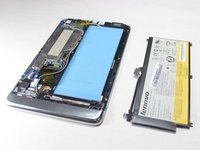
To reassemble your device, follow these instructions in reverse order.
Cancel: I did not complete this guide.
3 other people completed this guide.

Team

Cal Poly, Team 5-8, Maness Spring 2015 Member of Cal Poly, Team 5-8, Maness Spring 2015
CPSU-MANESS-S15S5G8
4 Members
60 Guides authored
