Introduction
For this guide, we will be replacing the RAM on a Lenovo IdeaPad U430 Touch. Once the back of the computer case is off, no tools are necessary for replacement.
What you need
-
-
-
Power off your computer before you begin.
-
Find and remove the 10 Phillips style body screws on the bottom of the laptop case.
 Ask FixBot
-
-
-
Remove 2 screws, 1 located on the left hinge cover and one located on the right hinge cover.
-
-
-
-
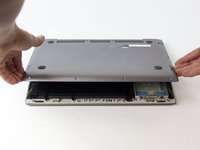
Starting from the front, use a plastic opening tool to separate the bottom of the case from the body of the laptop.
-
-
-
-
-
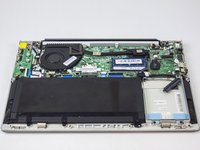
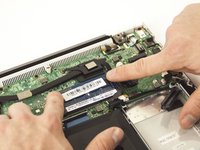
Press down and out on the topside of the clips holding the memory in place.
-
-
-
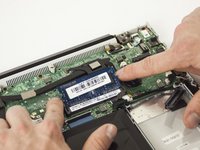
Once the clips are free, pull the topside of the memory up, and then remove it from the slot.
-
-





To reassemble your device, follow these instructions in reverse order.
Cancel: I did not complete this guide.
One other person completed this guide.

Team

USF Tampa, Team S2-G6, Nance Spring 2017 Member of USF Tampa, Team S2-G6, Nance Spring 2017
USFT-NANCE-S17S2G6
3 Members
90 Guides authored
