Introduction
Replacing the battery in your Lenovo IdeaPad U310 is a fairly simple task, just be aware that bending or puncturing the battery may cause serious harm or injury. Do not use excessive force while prying the device open, handling the battery, and be sure to use only plastic tools when prying.
What you need
-
-
-
Flip the device over so the bottom panel is facing up.
-
Remove the rubber feet by pinching and pulling in an upward motion.
 Ask FixBot
-
-
-
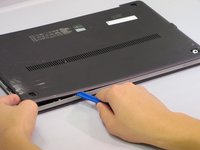
Place the plastic opening tool between the bottom panel and device.
-
Pry around the device's outer edge until the bottom panel is no longer attached.
-
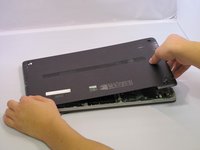
Lift the bottom panel up and away from device.
-
-
-
-
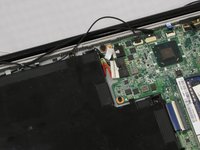
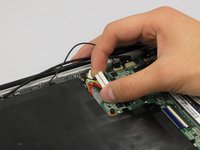
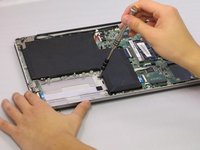
Unplug the Battery from the circuit board by carefully prying the connector from its housing.
-
-
-
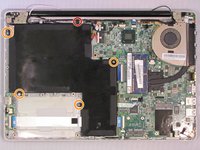
Remove the 5.6 mm Screw with the PH1 screwdriver.
-
Remove the 4.6 mm screws with the PH1 screwdriver.
-
-
-
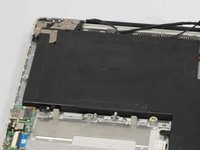
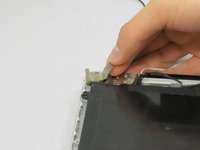
Lift the strip tape away from the battery, being careful not to completely remove it.
-
-









To reassemble your device, follow these instructions in reverse order.
Cancel: I did not complete this guide.
2 other people completed this guide.

Team

Eastern Washington University, Team 2-1, Mathisen Fall 2016 Member of Eastern Washington University, Team 2-1, Mathisen Fall 2016
EWU-MATHISEN-F16S2G1
5 Members
60 Guides authored
