
Lenovo IdeaPad S210 Touch System Memory / RAM Replacement

Zack Colman and 6 other contributors
Last updated on Jan 13, 2026
Views: 1.2K
View statistics:
- Past 24 Hours:
- 1
- Past 7 Days:
- 15
- Past 30 Days:
- 79
- All Time:
- 1,193
Comments: 9
9 comments on steps.
Completed: 0 1
No one has marked this guide "completed." Will you be the first?
1 person has marked this guide "completed." It's you — great job!
Favorites: 0 1
No one has favorited (and subscribed to) this guide. Will you be the first?
1 person has favorited (and subscribed to) this guide — and that's you!
Introduction
Go to step 1 ↓This guide will explain how to replace your System Memory (also known as RAM) for the Lenovo IdeaPad S210 Touch.
Faulty RAM modules may cause reduced system stability and performance. Replacing the RAM modules can not only increase system stability but provide performance you didnt have prior to the replacement.
Please take note that you will need DDR3 SDRAM modules to function with the laptop.
What you need
Tools


-
-
-
Use your finger to slide the latch towards the unlocked position (away from the other latch). If done correctly you will see red.
-
Slide the second latch to the unlocked position while gently pulling the battery away from the laptop.
-
-
-
-
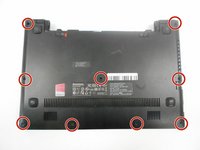
Using the #0 Phillips screwdriver, remove the nine 4mm screws on the back panel.
-
-
-
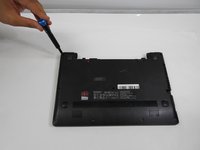
Gently pull the two rubber feet closest to battery away from the device. Using a #0 Phillips screwdriver, remove the 5mm screw under each rubber foot.
-
-
-
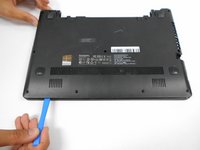
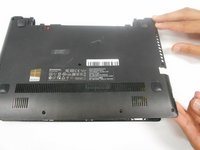
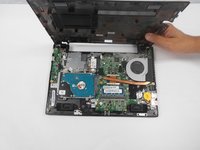
Slowly begin working your plastic opening tool along the panel to undo the latches around the laptop.
-
-
-
-
-
-
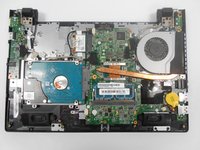
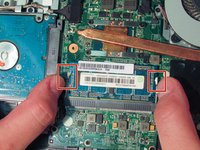
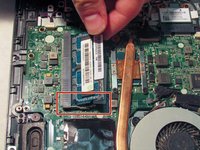
Release the RAM from the motherboard by pressing the two locking latches away from each other.
-
-
-
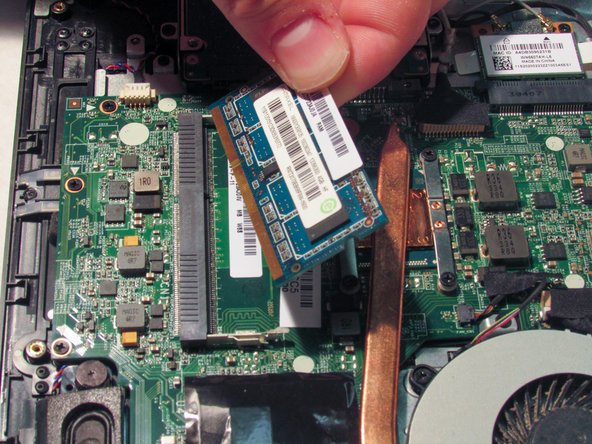
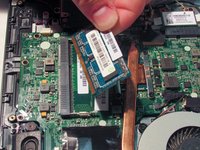
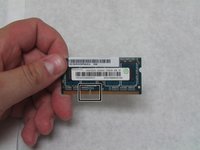
After the latches are unlocked, the RAM module will shift so it sits at an angle. Gently pull RAM module at this angle to free it from the socket.
-
-

 Ask FixBot








To reassemble your device, follow these instructions in reverse order.

