Introduction
The back cover and midframe of the Lenovo IdeaPad A1-07 may need to be replaced they are damaged with a scratch or normal wear and tear. This guide will walk you through how to carefully take the back cover and grey frame apart.
What you need
-
-
-
With the blue plastic opening tool, use the lock screen switch by the volume button as an access point to gently lift the back cover off.
-
Wedge the opening tool until you start hearing the back cover popping off the body of the device.
-
Slide the opening tool down the length of the device.
 Ask FixBot
-
-
-
-
Using a Phillips #000 screwdriver, remove all 18 of the 4mm screws.
-
With the blue plastic opening tool, gently wedge the tool between the screen and the gray frame until you feel resistance.
-
Using your opening tool, push in the teeth towards the center of the device, and gently pull off the frame.
-
-


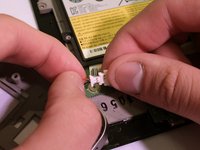
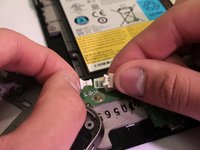
To reassemble your device, follow these instructions in reverse order.

Team

Eastern Washington University, Team S1-G4, Crane Spring 2017 Member of Eastern Washington University, Team S1-G4, Crane Spring 2017
EWU-CRANE-S17S1G4
4 Members
36 Guides authored
