Introduction
If your Lenovo IdeaPad has slowed performance, having major shutdowns, and is crashing often then a RAM replacement might be necessary. Use this guide to replace the RAM. Before using this guide check if the Lenovo IdeaPad 320-15IKB troubleshooting pages for possible solutions.
Make sure to power off the laptop completely and disconnect the charging adapter before beginning working with any internal components.
Don't forget troubleshooting basics. Before you start any significant repairs to your device, please check the following:
- Outdated software
- Blocked charging port
- Faulty charger
- Restart your laptop
What you need
-
-
-
Remove the following screws securing the lower case:
-
Seven 5 mm-long Phillips #00
-
Three 7 mm-long Phillips #00
-
Two 8 mm-long Phillips #1
 Ask FixBot
-
-
-
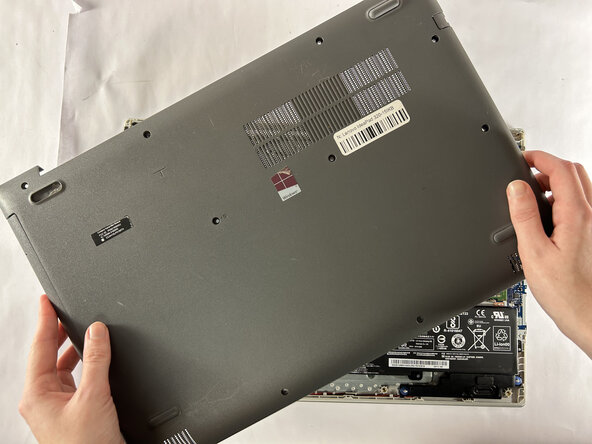
Insert an opening tool into the seam between the lower case and chassis.
-
Pry around the entire perimeter until the lower case fully releases.
-
Remove the lower case.
-
-
-
-
-
-
Use a clean fingernail or a spudger to disconnect the battery sliding connector from its motherboard socket.
-
-
-
-
-
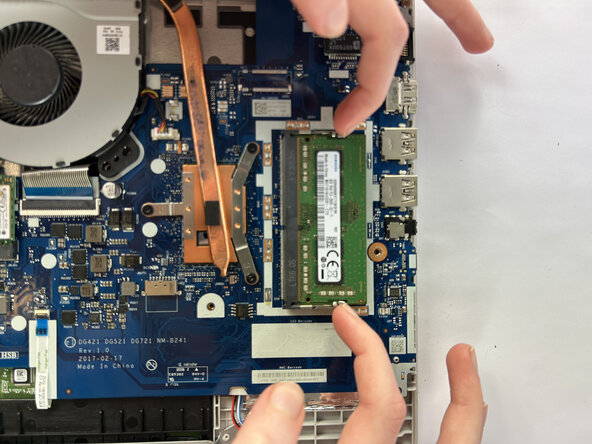
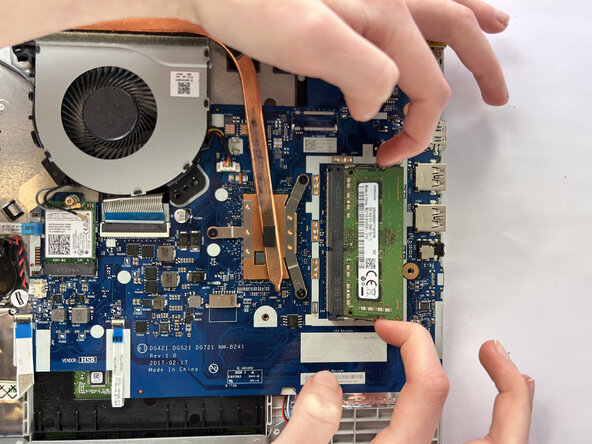
Two clips secure the RAM module in place, one on each side. Using your fingers, spread the clips away from the RAM module.
-
-






To reassemble your device, follow the above steps in reverse order.
Take your e-waste to an R2 or e-Stewards certified recycler.
Repair didn’t go as planned? Try some basic troubleshooting or ask our Answers community for help.
Cancel: I did not complete this guide.
One other person completed this guide.

Team

UMass Dartmouth, Team 1-2, Botvin Fall 2025 Member of UMass Dartmouth, Team 1-2, Botvin Fall 2025
UMASSD-BOTVIN-F25S1G2
3 Members
72 Guides authored
