Introduction
This guide shows how to remove the display from the Lenovo Flex 6-11IGM laptop. The display provides the user the images created by the graphics processing unit. If your screen is cracked or chipped, removing the screen with too much force may cause glass to come loose.
What you need
-
-
-
Using a plastic opening pick, begin to gently separate the display from the case, moving around the edge.
-
Using the plastic opening pick, begin to gently separate the plastic trim from the case, moving around the edge.
-
-
-
-
Using a Phillips #00 screwdriver, remove the three 2.5 mm screws that secure the display.
-
Secure a suction cup to the screen and pull it free from the upper case with light force.
-
Rest the display on the keyboard.
-
-
-
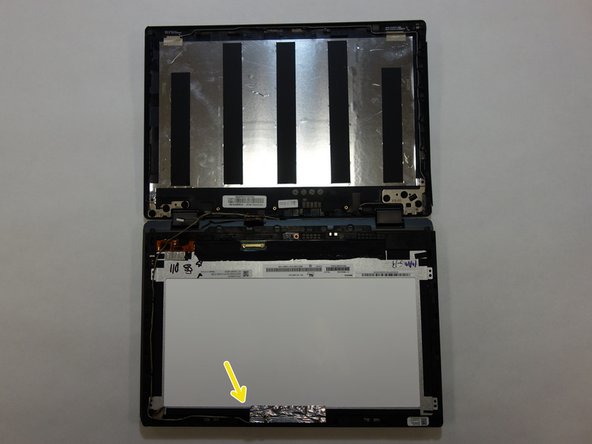
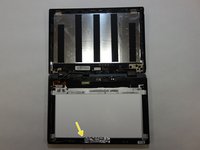
Disengage the cable located at the bottom of the display.
-
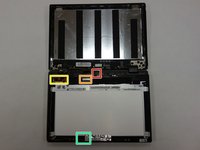
Slide a plastic opening pick under the brown bar, lifting the bar up, and disengage the wire with your fingers.
-
Disengage the cable at the bottom left of the display with your fingers.
-
Disengage the cable at the top center of the display using your fingers and remove the cable from the display housing.
-


 Ask FixBot



To reassemble your device, follow these instructions in reverse order.
Cancel: I did not complete this guide.
One other person completed this guide.

Team

The Citadel Military College of South Carolina, Team S2-G14, Eggleston Fall 2020 Member of The Citadel Military College of South Carolina, Team S2-G14, Eggleston Fall 2020
CMCSC-EGGLESTON-F20S2G14
3 Members
23 Guides authored
1 Guide Comment
Can you replace the digitizer separately? Or do you have to get the digitizer and lcd combo for replacement? Is it worth it at $130 for the replacement? Laptop is only a couple years old…
