Introduction
If your Lenovo Flex 2-15 is experiencing significant slowdowns, low memory issues, or freezing, it may be time to replace your RAM.
RAM is very important for your laptop as it temporarily stores data that your processor uses. Replacing a faulty RAM module or upgrading allows your laptop to run more applications without lag.
In this guide, we will safely demonstrate how replace the RAM in your Lenovo Flex 2-15. Keep in mind to handle the RAM modules carefully as they are considered delicate and fragile.
Before starting this guide, remember to turn off and unplug your device.
What you need
-
-
-
Begin by taking the back plate off of your device.
-
Using a Phillips head screw driver, take out the highlighted screws for your device.
 Ask FixBot
-
-
-
-
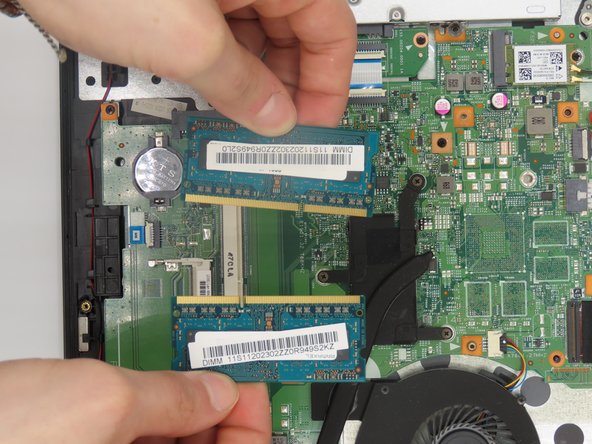
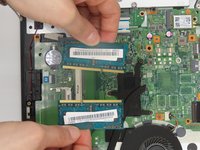
Once the back plate is off, locate the RAM sticks that lie next to one another on the devices motherboard.
-
-
-
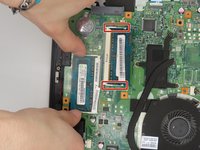
Pull the small metal tabs holding the RAM sticks in place outward to free it.
-
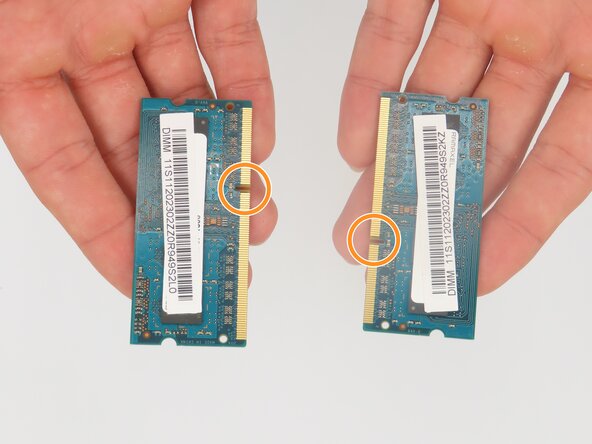
Note when reinstalling your RAM replacements, be sure to line the highlighted grooves up with the designated slot and push the tabs inward to seat the new RAM correctly.
-
-


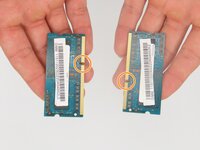
To reassemble your device, follow these instructions in reverse order. Take your e-waste to an R2 or e-Stewards certified recycler.

Team

University of Kentucky, Team 1-5, Martin Spring 2024 Member of University of Kentucky, Team 1-5, Martin Spring 2024
UKY-MARTIN-S24S1G5
4 Members
36 Guides authored
