
Lenovo Flex 2-15 Keyboard Replacement

Sean Keeler and one other contributor
Last updated on Jan 6, 2025
Views: 479
View statistics:
- Past 24 Hours:
- 2
- Past 7 Days:
- 15
- Past 30 Days:
- 74
- All Time:
- 479
Comments: 0
No one has left comments on this guide. Will you be first?
Go to guide commentsCompleted: 0 1
No one has marked this guide "completed." Will you be the first?
1 person has marked this guide "completed." It's you — great job!
Favorites: 0 1
No one has favorited (and subscribed to) this guide. Will you be the first?
1 person has favorited (and subscribed to) this guide — and that's you!
Needs More Images
A few more images would make this guide's procedures crystal clear.
Missing Steps
Oops! This guide is currently missing one or more important steps.
Introduction
Go to step 1 ↓This guide helps you replace the Lenovo Flex 2-15 keyboard. You might need to replace your keyboard when the keys start to stick or some keys no longer functions. The keyboard is one of most important part of the computer because It handles most of the human interface.
What you need
Tools


-
-
-
Begin by taking the back plate off of your device. Using a Phillips head screw driver, take out the highlighted screws for your device.
 Ask FixBot
-
-
-
Remove battery from the motherboard by unplugging the cord and removing the screws.
-
-
-
Once you have the battery removed, locate the cable for your new battery and connect it on the same port from your old battery. Secure it onto the laptop by using the screws. After this step is complete, complete step 1 in reverse order to secure the plate cover over your motherboard.
-
-
-
-
-
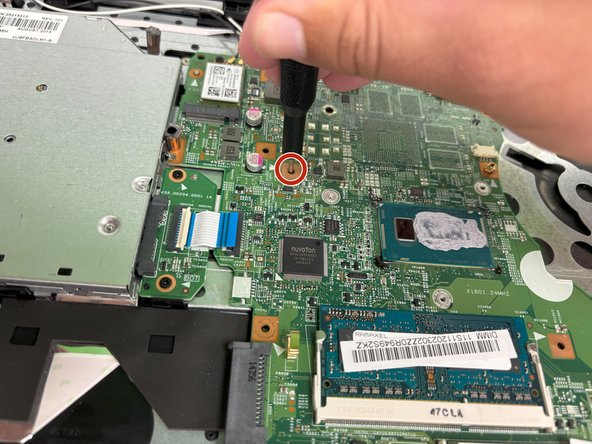
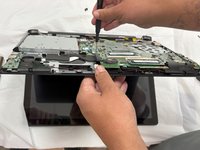
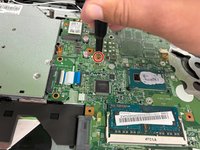
Apply gentle pressure with the Philips #00 screwdriver through the hole to pop out the keyboard.
-
-
-
-
Flip up the black ZIF locking flap that secures the keyboard ribbon cable.
-
Disconnect the ribbon cable.
-
Remove the keyboard.
-
-




To reassemble your device, follow the above steps in reverse order.
Take your e-waste to an R2 or e-Stewards certified recycler.
Repair didn’t go as planned? Try some basic troubleshooting or ask our Answers community for help.

Team

University of North Texas, Team 3-6, Coppersmith Fall 2024 Member of University of North Texas, Team 3-6, Coppersmith Fall 2024
UNT-COPPERSMITH-F24S3G6
4 Members
48 Guides authored
