Free Shipping on Domestic Orders $75+

Lenovo Essential G555-0873 RAM Replacement

Views: 681

View statistics:

Past 24 Hours:
2
Past 7 Days:
21
Past 30 Days:
64
All Time:
681
Comments: 0

No one has left comments on this guide. Will you be first?

Go to guide comments
Completed: 1

1 person has marked this guide "completed." Will you be next?

Favorites: 0

No one has favorited (and subscribed to) this guide. Will you be the first?

Time Required: 5 minutes
Difficulty: Moderate
Lenovo Essential G555-0873 RAM Replacement

Introduction

Go to step 1 ↓

Use this guide to replace the RAM sticks in the Lenovo Essential G555-0873. The RAM sticks are clipped in and don’t require a tool for replacement.

What you need

Tools

    1. Lenovo Essential G555-0873 RAM Replacement, Bottom Panel: step 1, image 1 of 1
      • Unscrew the two 5.1 mm screws that secure the bottom cover.

      • Note that the screws will not come all the way out of the sockets.

      Ask FixBot

      Add Comment

    2. Lenovo Essential G555-0873 RAM Replacement: step 2, image 1 of 1
      • Lift from the notch until the back panel comes up.

      Ask FixBot

      Add Comment

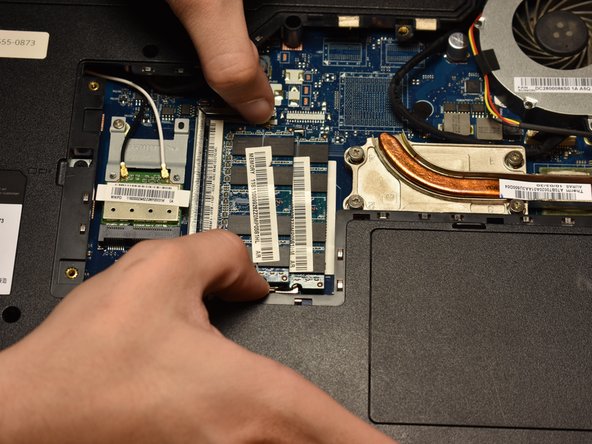
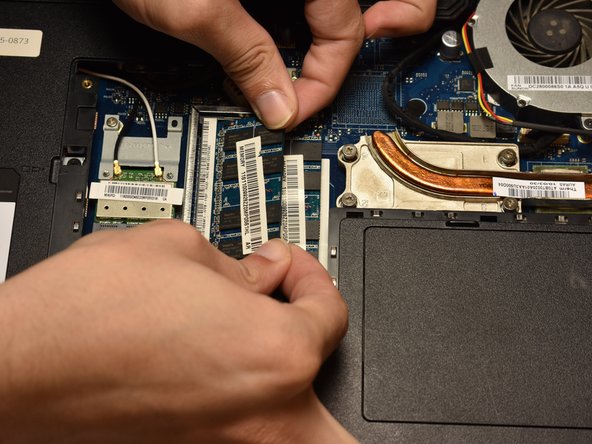
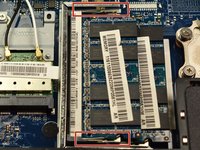
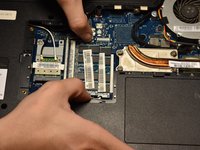
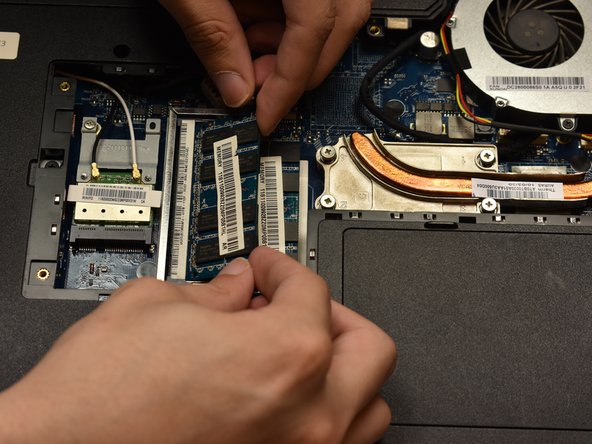
    1. Lenovo Essential G555-0873 RAM Replacement, RAM: step 3, image 1 of 3 Lenovo Essential G555-0873 RAM Replacement, RAM: step 3, image 2 of 3 Lenovo Essential G555-0873 RAM Replacement, RAM: step 3, image 3 of 3
      • Push apart hinges shown in picture until RAM pushes itself up to approximately a 30 degree angle.

      Ask FixBot

      Add Comment

    2. Lenovo Essential G555-0873 RAM Replacement: step 4, image 1 of 1
      • Pull the RAM stick out of its socket.

      Ask FixBot

      Add Comment

    3. Lenovo Essential G555-0873 RAM Replacement: step 5, image 1 of 1
      • Push apart hinges of lower RAM stick until it pops up to a similar angle.

      Ask FixBot

      Add Comment

    4. Lenovo Essential G555-0873 RAM Replacement: step 6, image 1 of 1
      • Pull out second RAM stick in the same way as the first.

      Ask FixBot

      Add Comment

    5. Lenovo Essential G555-0873 RAM Replacement: step 7, image 1 of 2 Lenovo Essential G555-0873 RAM Replacement: step 7, image 2 of 2
      • Push RAM sticks in diagonally, then push down and snap it in with hinges.

      • Make sure that the RAM stick is aligned with the notch on the port when inserting it.

      Ask FixBot

      Add Comment

Conclusion

To reassemble your device, follow these instructions in reverse order.

Cancel: I did not complete this guide.

One other person completed this guide.

0 Guide Comments

Add Comment

View Statistics:

Past 24 Hours: 2

Past 7 Days: 21

Past 30 Days: 64

All Time: 681