Free Shipping on Domestic Orders $75+

Lenovo Edge Thinkpad E431 Bottom Panel Removal

What you need

    1. Lenovo Edge Thinkpad E431 Bottom Panel Removal, Bottom Panel: step 1, image 1 of 1
      • Close the device and remove all power cables.

      • Lay the laptop flat with the bottom facing upwards.

      Ask FixBot

      Add Comment

    2. Lenovo Edge Thinkpad E431 Bottom Panel Removal: step 2, image 1 of 1
      • Remove the four 2mm Phillips #00 screws from the bottom panel.

      Ask FixBot

      Add Comment

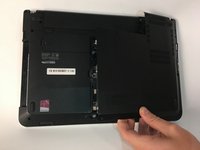
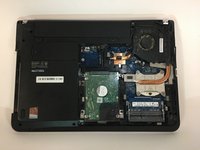
    3. Lenovo Edge Thinkpad E431 Bottom Panel Removal: step 3, image 1 of 2 Lenovo Edge Thinkpad E431 Bottom Panel Removal: step 3, image 2 of 2
      • Remove the back panel of the device.

      Ask FixBot

      Add Comment

Conclusion

To reassemble your device, follow these instructions in reverse order.

Cancel: I did not complete this guide.

Team

USF Tampa, Team S3-G3, Nance Spring 2018 Member of USF Tampa, Team S3-G3, Nance Spring 2018

USFT-NANCE-S18S3G3

4 Members

72 Guides authored

0 Guide Comments

Add Comment

View Statistics:

Past 24 Hours: 0

Past 7 Days: 6

Past 30 Days: 34

All Time: 1,242