Introduction
This guide will give you step by step instructions on how to replace the Wireless LAN card in your Lenovo Edge 15.
What you need
-
-
-
With the laptop upside-down, remove all 11 M2 x 6.0mm screws from the cover plate using the Phillips #0 screwdriver.
 Ask FixBot
-
-
-
Gently lift the cover plate off the body of the laptop, ensuring that it does not pull on any components such as the USB ports.
-
-
-
-
Remove single 3mm screw holding down the end of the card using a Phillips #1 screwdriver.
-
-


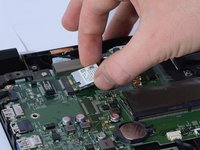
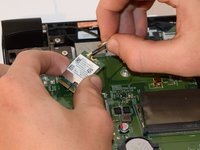
To reassemble your device, follow these instructions in reverse order. Make sure that connectors are in proper position as shown in step 3.
Cancel: I did not complete this guide.
3 other people completed this guide.

Team

Cal Poly, Team S8-G1, Banghart Fall 2017 Member of Cal Poly, Team S8-G1, Banghart Fall 2017
CPSU-BANGHART-F17S8G1
5 Members
84 Guides authored
