Introduction
This guide will show you how to safely remove and replace your lab top battery. There is no risk to replacing the battery.
-
-
-
Turn off the computer.
-
Disconnect the charger from the computer.
-
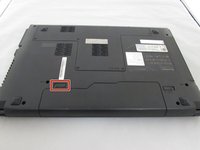
Flip the computer upside down.
 Ask FixBot
-
-
-
-
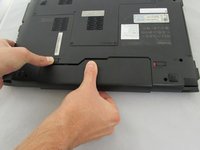
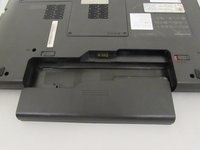
While holding the battery, use your other hand to push the left clip to the left and pull the battery out.
-
-


To reassemble your device, follow these instructions in reverse order.
Cancel: I did not complete this guide.
2 other people completed this guide.

Team

Eastern Washington University, Team 1-4, Crane Fall 2016 Member of Eastern Washington University, Team 1-4, Crane Fall 2016
EWU-CRANE-F16S1G4
4 Members
72 Guides authored
