Free Shipping on Domestic Orders $75+

Lenovo 300e Windows 2nd Gen Battery Replacement

What you need

  1. Lenovo 300e Windows 2nd Gen Battery Replacement, Remove the back: step 1, image 1 of 3 Lenovo 300e Windows 2nd Gen Battery Replacement, Remove the back: step 1, image 2 of 3 Lenovo 300e Windows 2nd Gen Battery Replacement, Remove the back: step 1, image 3 of 3
    • Use a screwdriver to remove all 9 screws at the bottom of the laptop.

    • Take off the panel and set it aside.

    • Some screws may not lift out of the casing. If this happens, just loosen every screw and lift the entire back off of the device.

    • The first image highlighting the screws was too big to fit. Some parts were cropped out.

    Ask FixBot
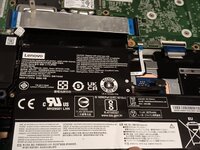
  2. Lenovo 300e Windows 2nd Gen Battery Replacement, Unscrew the battery: step 2, image 1 of 1
    • Unscrew all four screws holding the battery in place. Set them aside.

    • Be sure to not puncture the battery. It may explode or catch fire if it is mistreated. Proceed with caution. Especially if your battery is puffy!

    Ask FixBot
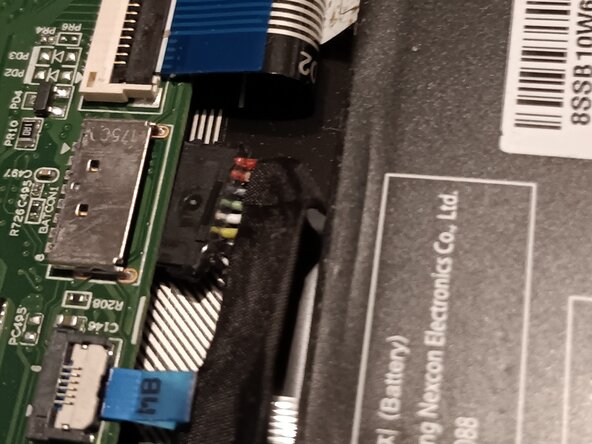
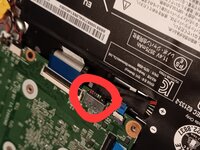
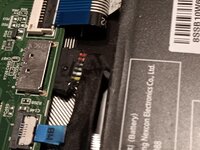
  3. Lenovo 300e Windows 2nd Gen Battery Replacement, Unplug the battery.: step 3, image 1 of 2 Lenovo 300e Windows 2nd Gen Battery Replacement, Unplug the battery.: step 3, image 2 of 2
    • Be sure to not puncture the battery. It may explode or catch fire if it is mistreated. Proceed with caution. Especially if your battery is puffy!

    • Carefully unplug the battery from the device.

    Ask FixBot
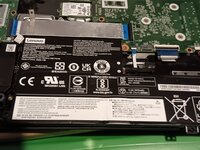
  4. Lenovo 300e Windows 2nd Gen Battery Replacement, Remove the battery.: step 4, image 1 of 2 Lenovo 300e Windows 2nd Gen Battery Replacement, Remove the battery.: step 4, image 2 of 2
    • Be sure to not puncture the battery. It may explode or catch fire if it is mistreated. Proceed with caution. Especially if your battery is puffy!

    • Carefully slide the batter toward you (Away from the motherboard, imagine you are in the perspective of the image)

    • Do not lift the battery directly. You might harm the wire going over the battery. Make sure you slide it out from under the wire before you completely remove it from the housing.

    Ask FixBot
Conclusion

Put the battery back in the same way you took it out: carefully slide it into place. Don't shove the battery wire into place; be gentle.

Be sure to not puncture the battery. It may explode or catch fire if it is mistreated. Proceed with caution. Especially if your battery is puffy!

Kyeler W

Member since: 03/04/25

3,113 Reputation

15 Guides authored

0 Guide Comments

Add Comment

View Statistics:

Past 24 Hours: 2

Past 7 Days: 5

Past 30 Days: 36

All Time: 192