Free Shipping on Domestic Orders $75+

Lenovo 14e Chromebook Front Facing Camera Replacement

What you need

    1. Lenovo 14e Chromebook Front Facing Camera Replacement, Front Facing Camera: step 1, image 1 of 1
      • Use a Jimmy to pry open the seal between the bezel and the screen.

      Ask FixBot

      Add Comment

    2. Lenovo 14e Chromebook Front Facing Camera Replacement: step 2, image 1 of 1
      • Continue sliding the Jimmy around the entire bezel to remove it from the screen.

      • You will hear clicking sounds as the bezel detaches from the screen.

      Ask FixBot

      Add Comment

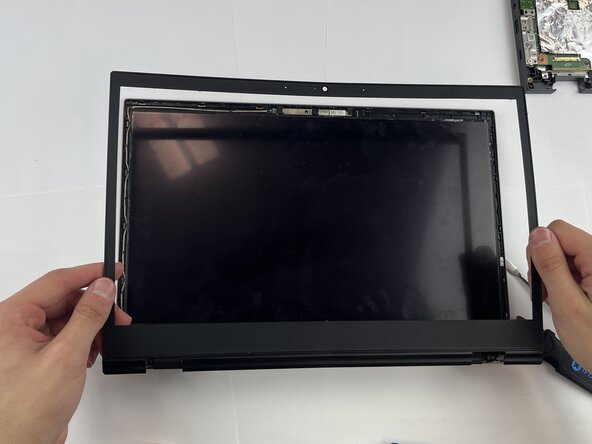
    3. Lenovo 14e Chromebook Front Facing Camera Replacement: step 3, image 1 of 1
      • Carefully remove the bezel from the Chromebook.

      Ask FixBot

      Add Comment

    4. Lenovo 14e Chromebook Front Facing Camera Replacement: step 4, image 1 of 1
      • Remove the nine 8.3 mm screws using a Phillips #0 screwdriver.

      Ask FixBot

      Add Comment

    5. Lenovo 14e Chromebook Front Facing Camera Replacement: step 5, image 1 of 1
      • Lift back cover off.

      • You may hear clicking noises during this step.

      Ask FixBot

      Add Comment

    6. Lenovo 14e Chromebook Front Facing Camera Replacement: step 6, image 1 of 2 Lenovo 14e Chromebook Front Facing Camera Replacement: step 6, image 2 of 2
      • Use a Phillips #0 screwdriver to remove the 5.5mm hinge screws.

      Ask FixBot

      Add Comment

    7. Lenovo 14e Chromebook Front Facing Camera Replacement: step 7, image 1 of 1
      • Lift the bottom of the Chromebook off.

      Ask FixBot

      Add Comment

    8. Lenovo 14e Chromebook Front Facing Camera Replacement: step 8, image 1 of 1
      • Use your hands to pinch the adhesive tab.

      Ask FixBot

      Add Comment

    9. Lenovo 14e Chromebook Front Facing Camera Replacement: step 9, image 1 of 1
      • Gently pull the adhesive strip out.

      • There are two adhesive strips; repeat the above steps for the second strip.

      Ask FixBot

      Add Comment

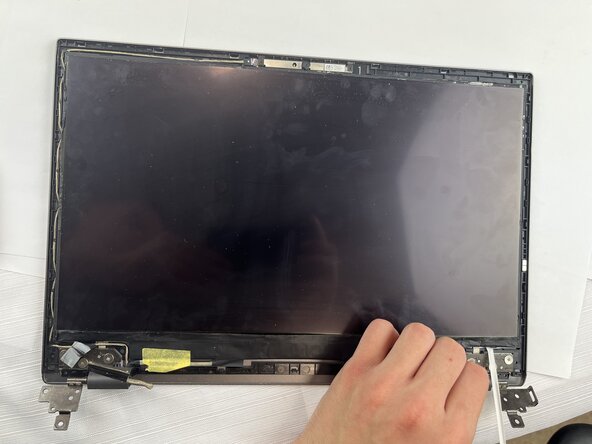
    10. Lenovo 14e Chromebook Front Facing Camera Replacement: step 10, image 1 of 1
      • Lift up the yellow tape and remove the screen.

      Ask FixBot

      Add Comment

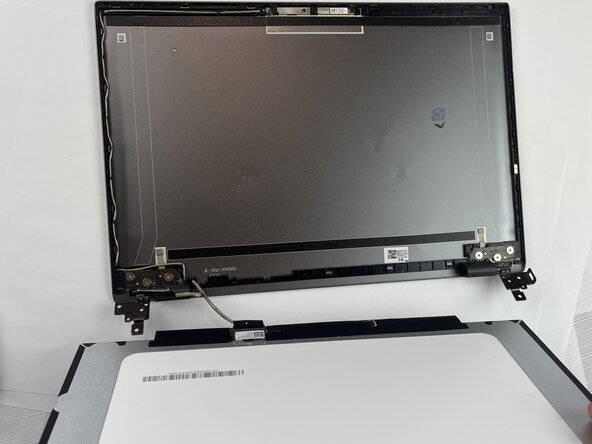
    11. Lenovo 14e Chromebook Front Facing Camera Replacement: step 11, image 1 of 1
      • Lay the screen face down on the table.

      • There is no need to remove the wire attaching the screen to the frame.

      Ask FixBot

      Add Comment

    12. Lenovo 14e Chromebook Front Facing Camera Replacement: step 12, image 1 of 1
      • Using a metal spudger, pry off the front facing camera.

      Ask FixBot

      Add Comment

    13. Lenovo 14e Chromebook Front Facing Camera Replacement: step 13, image 1 of 1
      • Lift the camera out.

      Ask FixBot

      Add Comment

Conclusion

To reassemble your device, follow these instructions in reverse order.

Cancel: I did not complete this guide.

One other person completed this guide.

Isaac Hoke

Member since: 09/24/25

217 Reputation

1 Guide authored

Team

Texas Tech, Team 2-4, Johansen Fall 2025 Member of Texas Tech, Team 2-4, Johansen Fall 2025

TTU-JOHANSEN-F25S2G4

5 Members

60 Guides authored

0 Guide Comments

Add Comment

View Statistics:

Past 24 Hours: 2

Past 7 Days: 7

Past 30 Days: 22

All Time: 178