Free Shipping on Domestic Orders $75+

Leapfrog My Own Leaptop Keyboard Buttons Replacement Guide

What you need

    1. Leapfrog My Own Leaptop Keyboard Buttons Replacement Guide, Battery: step 1, image 1 of 1
      • Flip over device so that back portion of the device is facing you.

      Ask FixBot
      Add Comment

    2. Leapfrog My Own Leaptop Keyboard Buttons Replacement Guide: step 2, image 1 of 1
      • Unscrew the one 10mm screw that holds the battery cover in place with a a PH1 phillips head screwdriver.

      • Please note that the screw cannot be removed as it is attached to the battery cover.

      Ask FixBot

      Add Comment

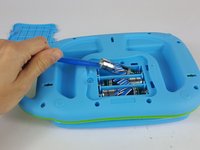
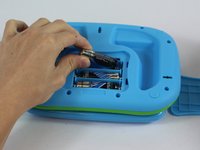
    3. Leapfrog My Own Leaptop Keyboard Buttons Replacement Guide: step 3, image 1 of 2 Leapfrog My Own Leaptop Keyboard Buttons Replacement Guide: step 3, image 2 of 2
      • Carefully pry the batteries out with a plastic opening tool prying from the non spring side.

      • Remove the three AA batteries.

      • Note the direction of the batteries for when reassembling.

      Ask FixBot

      Add Comment

    1. Leapfrog My Own Leaptop Keyboard Buttons Replacement Guide, Keyboard Buttons: step 4, image 1 of 1
      • Remove the eleven 10mm screws from the back of the device with a a PH1 phillips head screwdriver.

      Ask FixBot

      Add Comment

    2. Leapfrog My Own Leaptop Keyboard Buttons Replacement Guide: step 5, image 1 of 1
      • Carefully remove back of the device.

      • Make sure not to rip the wires when lifting the cover off.

      Ask FixBot

      Add Comment

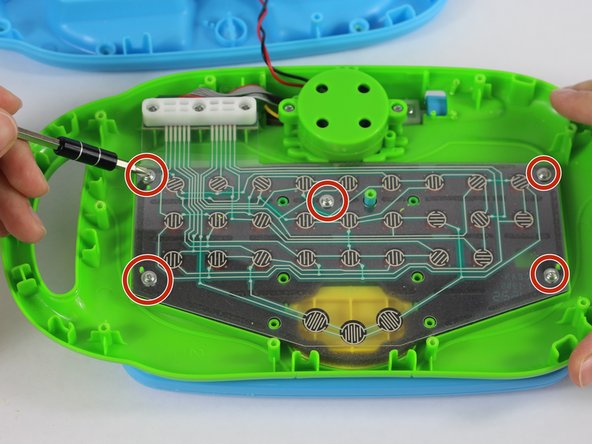
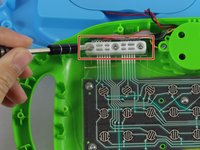
    3. Leapfrog My Own Leaptop Keyboard Buttons Replacement Guide: step 6, image 1 of 2 Leapfrog My Own Leaptop Keyboard Buttons Replacement Guide: step 6, image 2 of 2
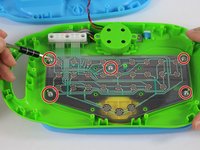
      • Remove the three 10mm screws from the upper left hand corner white plastic piece with a PH1 phillips head screwdriver.

      • Unscrew the five 4mm screws from the plastic membrane with a PH1 phillips head screwdriver.

      Ask FixBot

      Add Comment

    4. Leapfrog My Own Leaptop Keyboard Buttons Replacement Guide: step 7, image 1 of 1
      • Remove the white plastic piece and place it to the side.

      Ask FixBot

      Add Comment

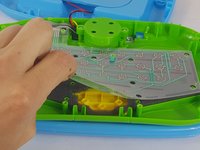
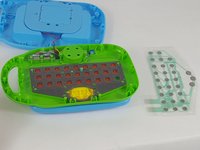
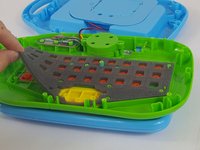
    5. Leapfrog My Own Leaptop Keyboard Buttons Replacement Guide: step 8, image 1 of 3 Leapfrog My Own Leaptop Keyboard Buttons Replacement Guide: step 8, image 2 of 3 Leapfrog My Own Leaptop Keyboard Buttons Replacement Guide: step 8, image 3 of 3
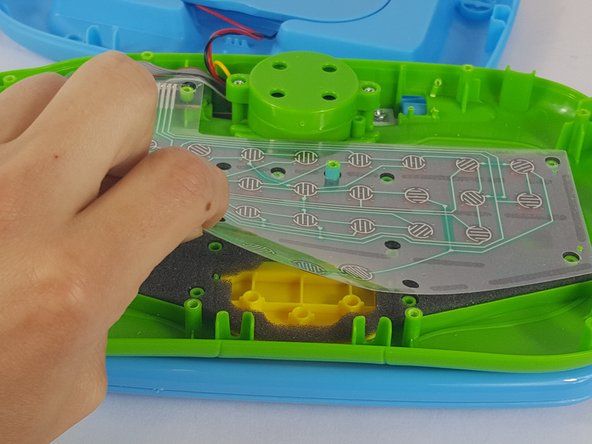
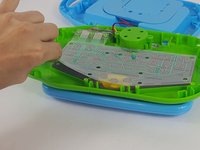
      • Gently grab the membrane and peel it upwards.

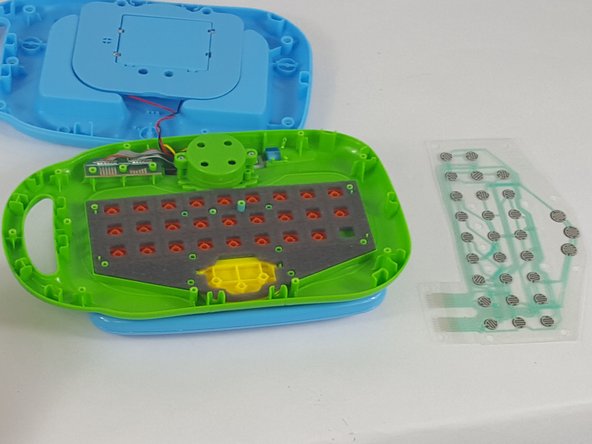
      • Carefully remove the membrane and set it to the side.

      • From this step you can also clean the membrane of any residue with a lightly dampened paper towel.

      • Ensure that the membrane is completely dry before reassembly.

      Ask FixBot

      Add Comment

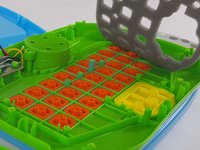
    6. Leapfrog My Own Leaptop Keyboard Buttons Replacement Guide: step 9, image 1 of 2 Leapfrog My Own Leaptop Keyboard Buttons Replacement Guide: step 9, image 2 of 2
      • Gently lift and remove the foam piece

      Ask FixBot

      Add Comment

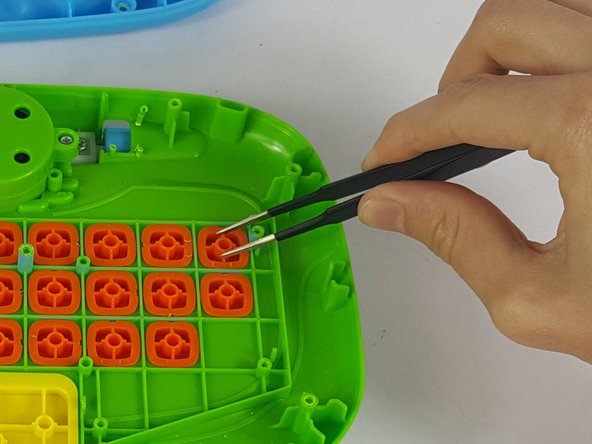
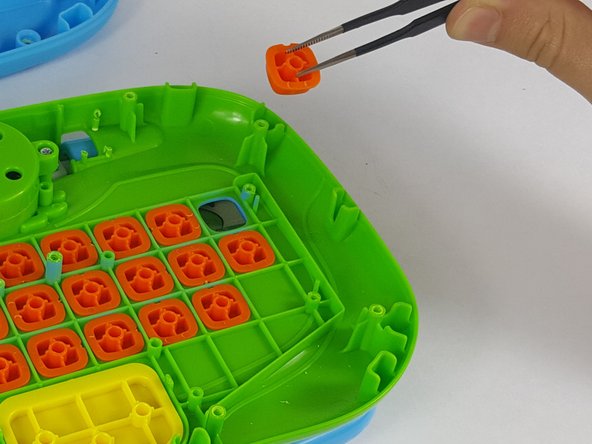
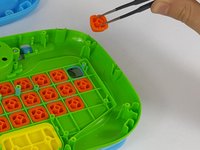
    7. Leapfrog My Own Leaptop Keyboard Buttons Replacement Guide: step 10, image 1 of 3 Leapfrog My Own Leaptop Keyboard Buttons Replacement Guide: step 10, image 2 of 3 Leapfrog My Own Leaptop Keyboard Buttons Replacement Guide: step 10, image 3 of 3
      Tool used on this step:
      Tweezers
      $4.99
      Buy
      • From here, each button is able to be removed for cleaning or replacement.

      • Using a tweezers or needle nose pliers, remove the necessary pieces from the device.

      Ask FixBot

      Add Comment

Conclusion

To reassemble your device, follow these instructions in reverse order.

Cancel: I did not complete this guide.

3 other people completed this guide.

Jonathan Fitzer

Member since: 02/10/16

629 Reputation

3 Guides authored

Team

USF Tampa, Team 14-6, Lacy Spring 2016 Member of USF Tampa, Team 14-6, Lacy Spring 2016

USFT-LACY-S16S14G6

4 Members

36 Guides authored

7 Guide Comments

Very useful. but where to get a new membrane? please help

Alina Timchenko - Reply Share

Didn't work. I'll buy a new toy.

victoria_nglover19 - Reply Share

Is the screen on this suppose to light up?

stewartmelinda41 - Reply Share

I was wondering if the screen is suppose to light up because the one I have doesnt

stewartmelinda41 - Reply Share

thank you very much

Njabulo Mbele - Reply Share

Add Comment

View Statistics:

Past 24 Hours: 1

Past 7 Days: 14

Past 30 Days: 81

All Time: 6,562